








Tool ID: 12.4
OT + SpEd
Moderate-Strong Evidence
Rank #2
Daily Use
₹100–15,000
Desk / Chair Modifications
Workstation Ergonomics & Accessibility System
Transform your child's workspace into a supportive environment that reduces fatigue, improves attention, and enhances learning outcomes. The right desk and chair modifications can make the difference between struggling through homework and thriving during work time.

Who This Helps
These modifications optimize desk and chair setup to improve positioning, comfort, and function for learning and work tasks across all environments.
Ergonomics
Writing Positioning
Attention
Fatigue Reduction
Visual Positioning
Work Tolerance
Ages 4+ years
Home
School
Clinic
Children who fatigue quickly during writing or desk work
Students who can't sustain attention at their workspace
Kids who work better when standing or need movement options

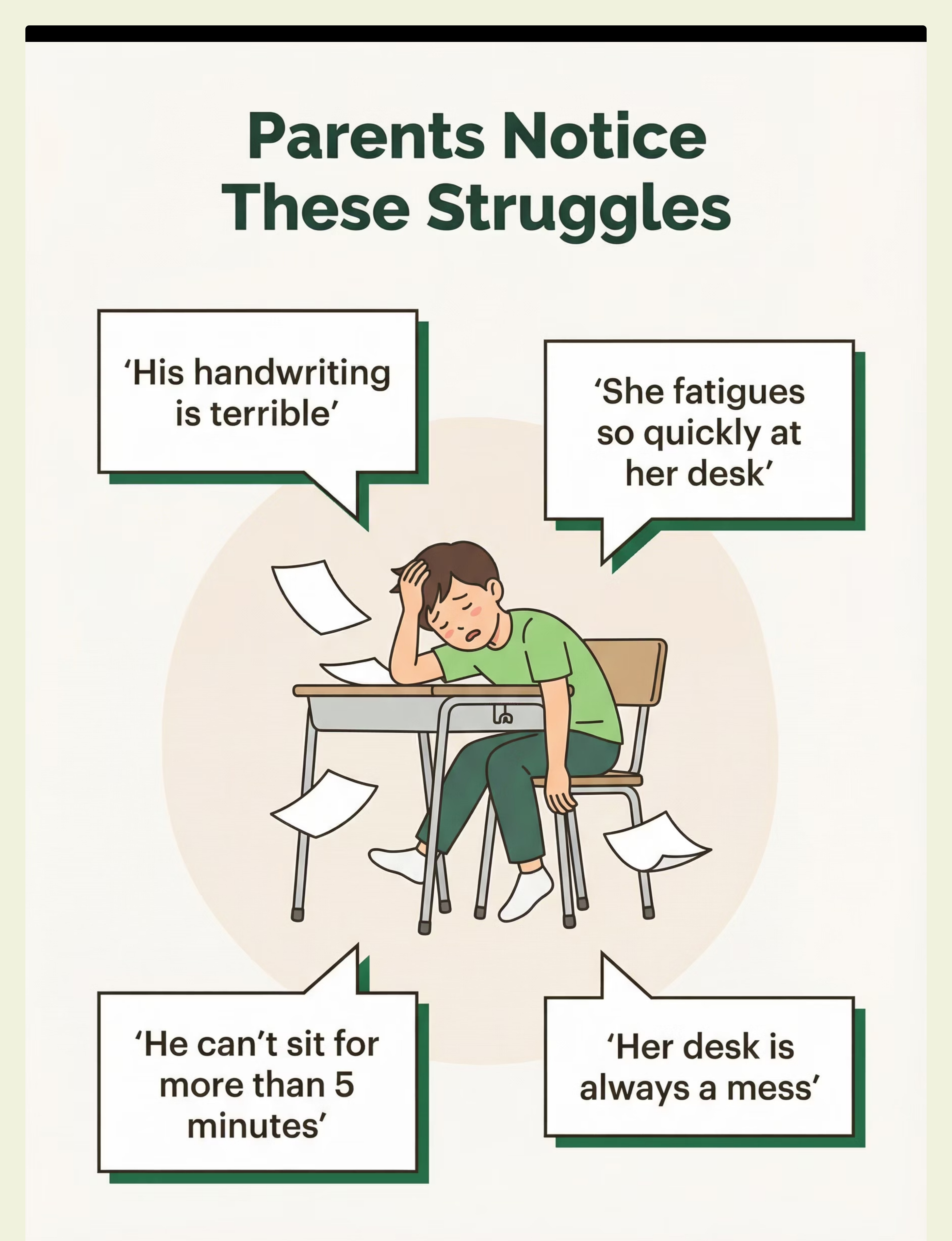
Does This Sound Familiar?
"His handwriting is terrible"
"She fatigues so quickly at her desk"
"He can't sit at his desk for more than 5 minutes"
"Her desk is always a mess"
"He slumps over his work"
"She seems to work better standing"
You're not alone. These are common challenges that proper workstation setup can address. When ergonomics don't match a child's needs, even simple tasks become exhausting battles.

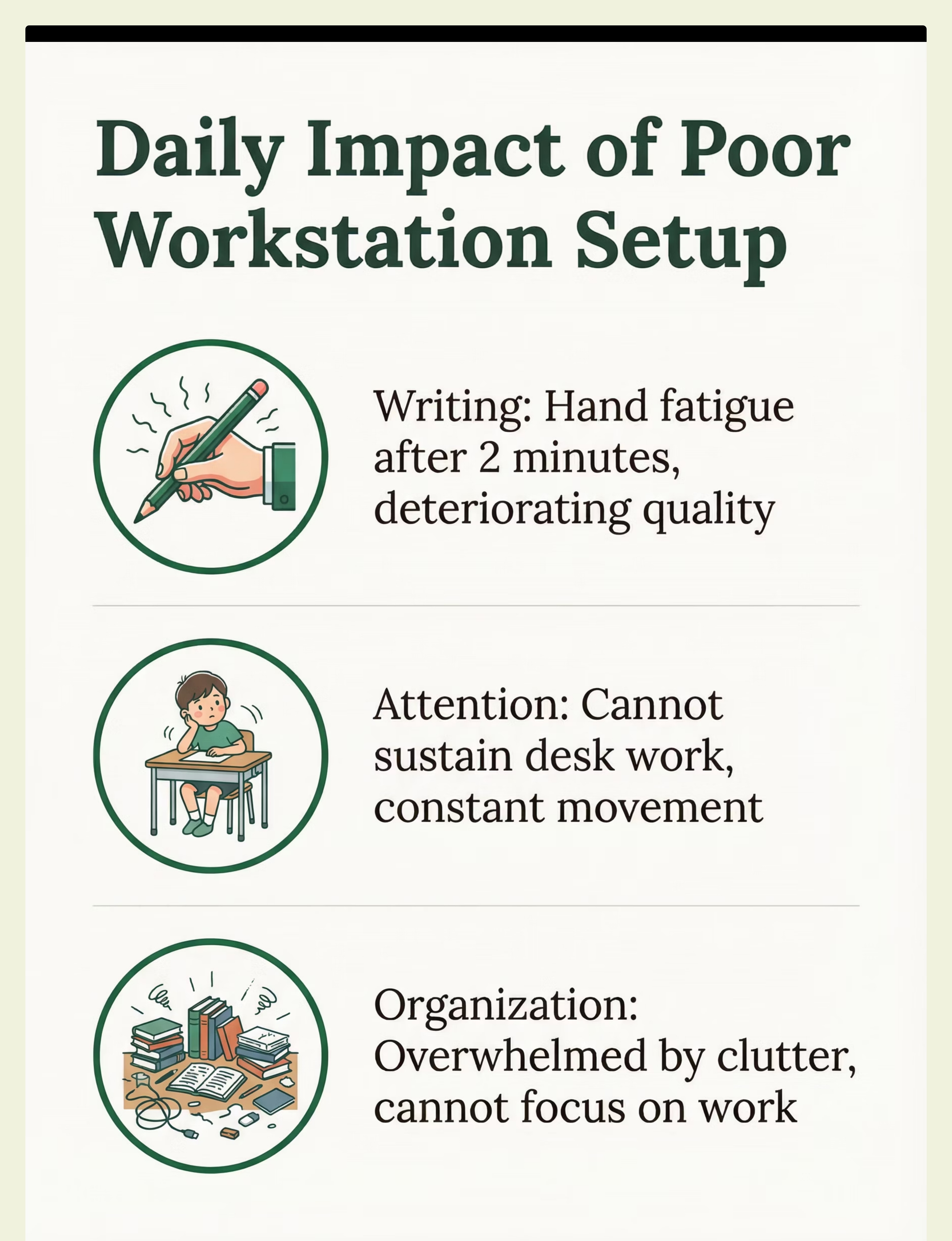
A Day Without the Right Support
Morning: Writing Struggles
Homework time becomes a battle. Hand hurts after two minutes of writing. Quality deteriorates quickly.
School: Can't Stay Seated
Slumps at desk, slides out of chair. Constantly leaving workspace. Teacher redirects repeatedly.
After School: Cluttered Chaos
Desk covered in items. Overwhelmed before starting. Can't find needed materials. Distracted by visual clutter.
Evening: Homework Dread
Family tensions rise. Child avoids desk. Work takes hours. Everyone exhausted and frustrated.

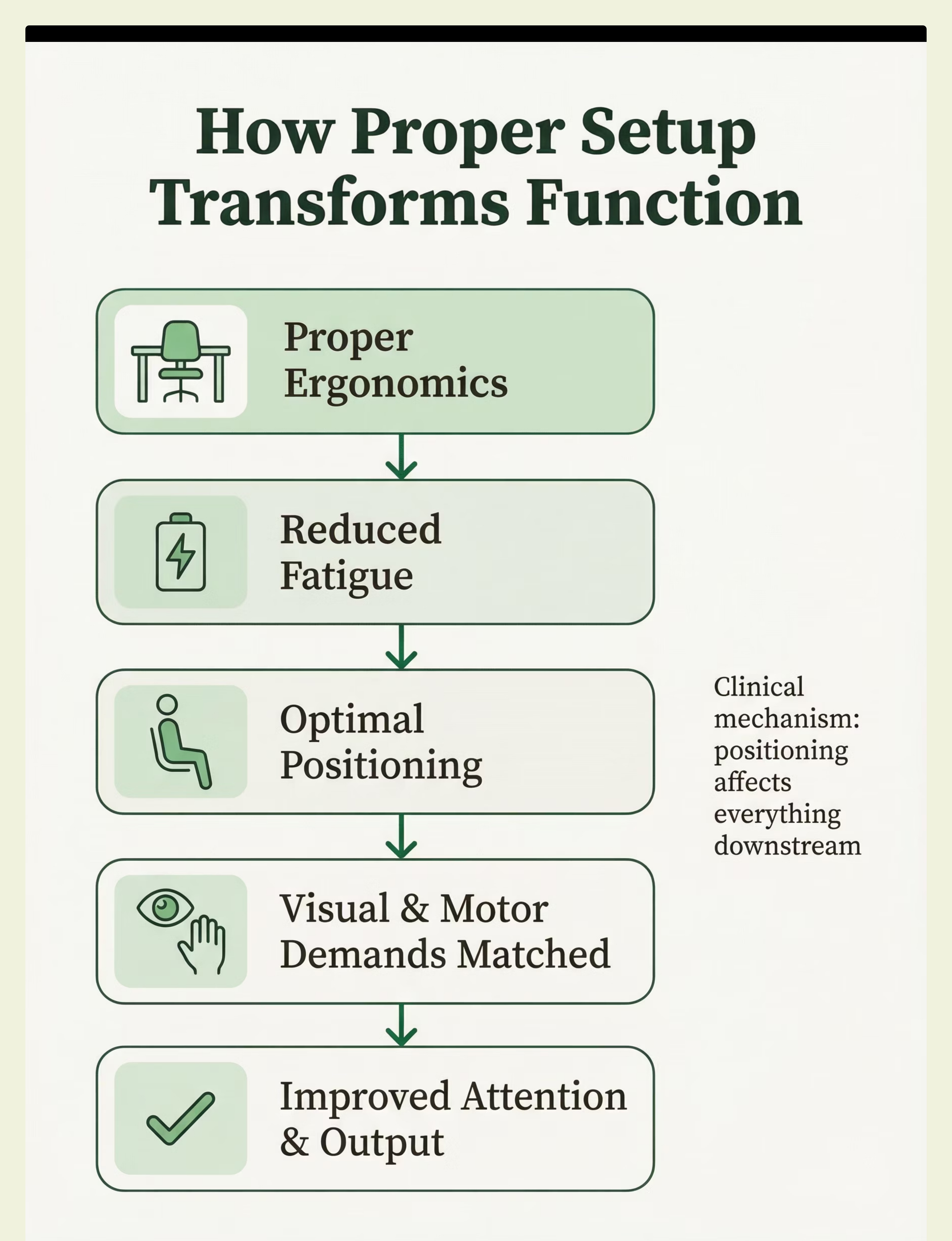
The Science Behind It
Proper Ergonomics
Desk and chair sized correctly, visual field optimized, body positioned neutrally
Reduced Fatigue
Less strain on muscles and joints, energy preserved for learning
Optimal Positioning
Visual and motor demands matched to child's abilities
Improved Attention
Comfortable body enables focused mind
Better Output
Sustained work tolerance and improved quality
When a child's workstation matches their physical needs, the entire system works more efficiently. Proper positioning isn't just about comfort—it directly impacts learning capacity, endurance, and output quality.
Ergonomics
Writing Positioning
Attention
Fatigue Reduction
Visual Positioning
Work Tolerance

How to Use It Right
1
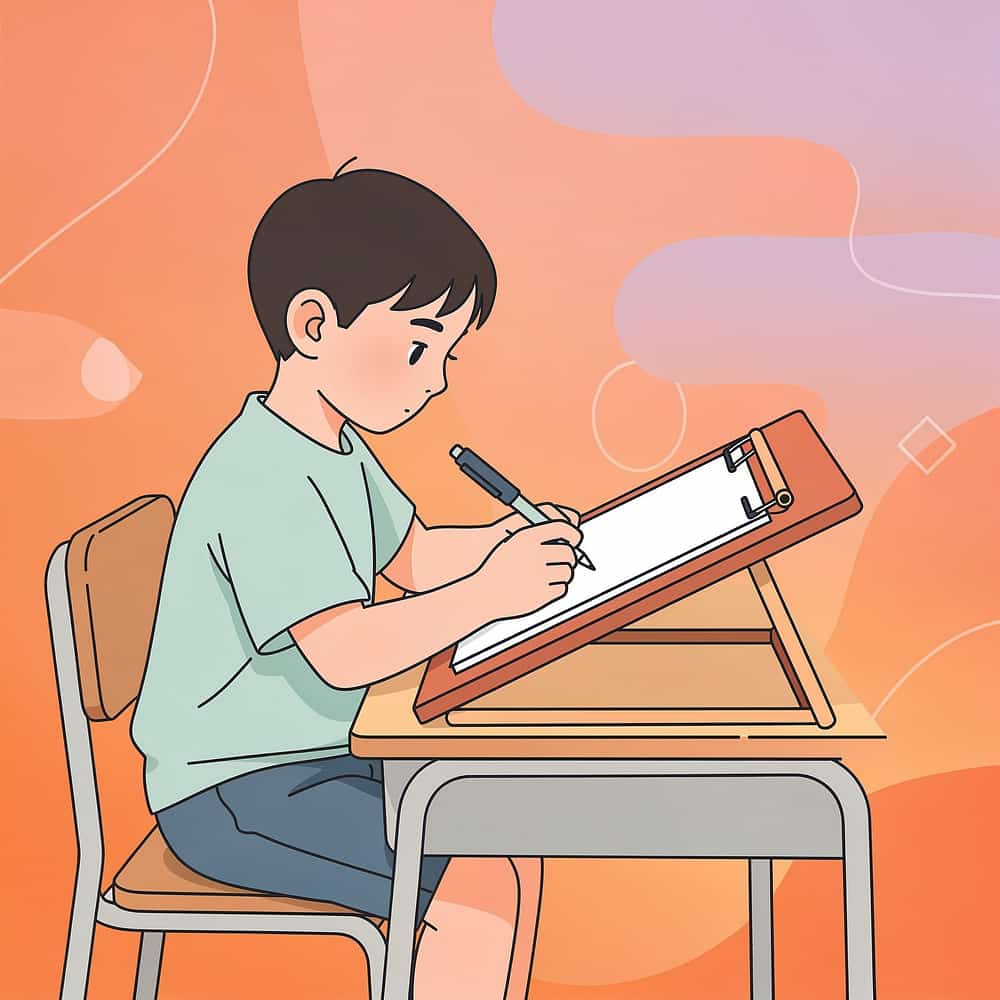
Position slant boards at 20-30 degree angle
This brings work into optimal visual field and reduces wrist strain during writing tasks
2
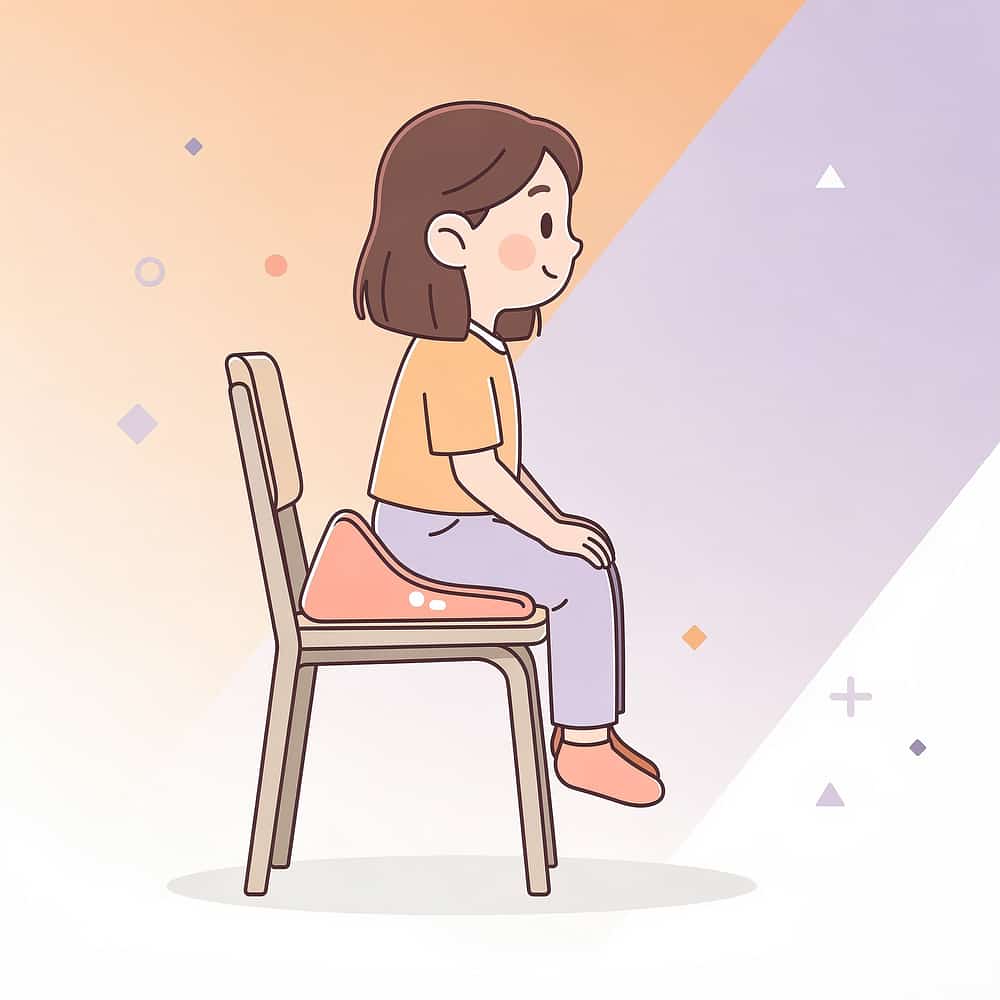
Use wedge cushions to tilt pelvis forward
Forward pelvic tilt promotes active sitting and improves attention span at desk
3
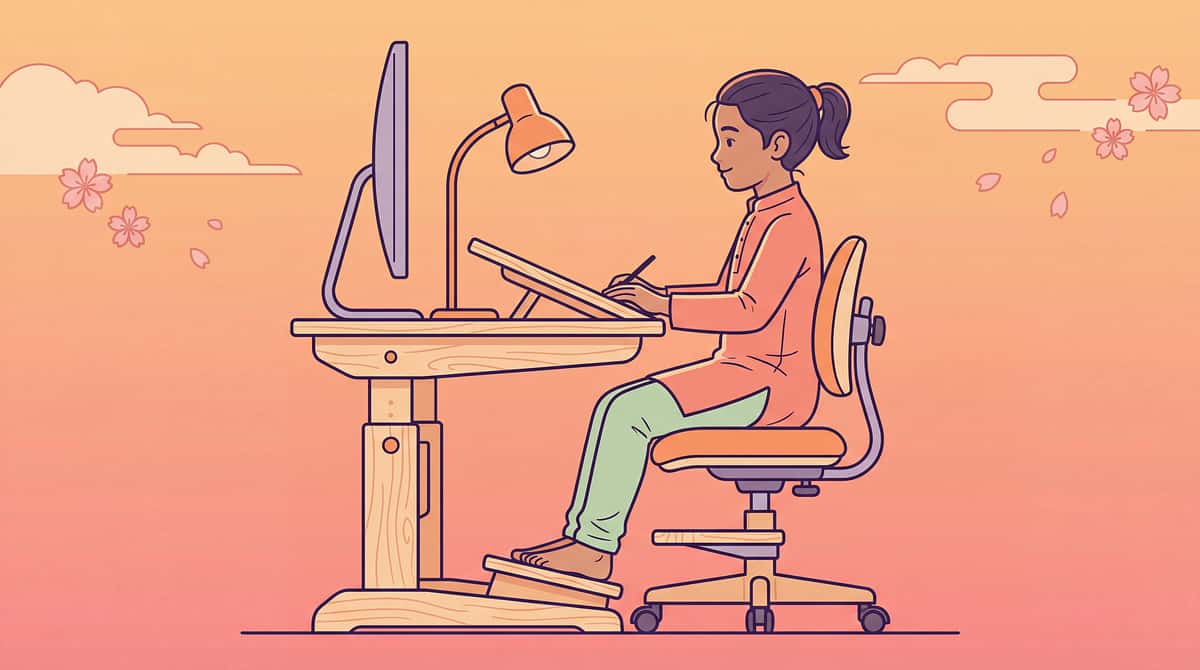
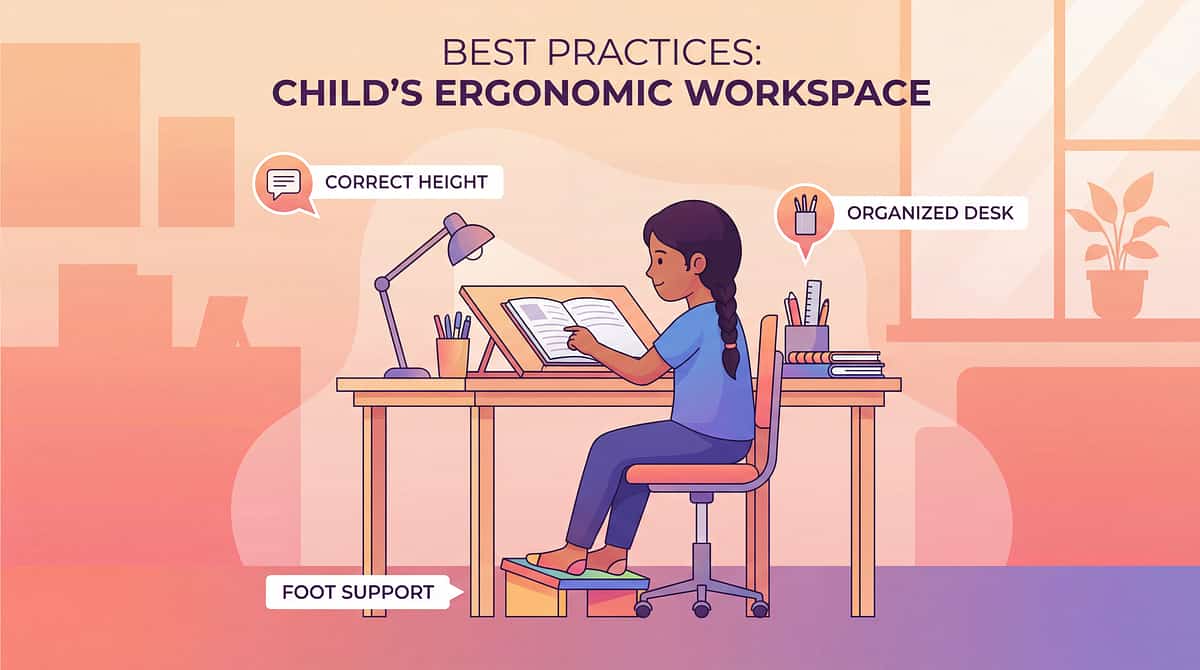
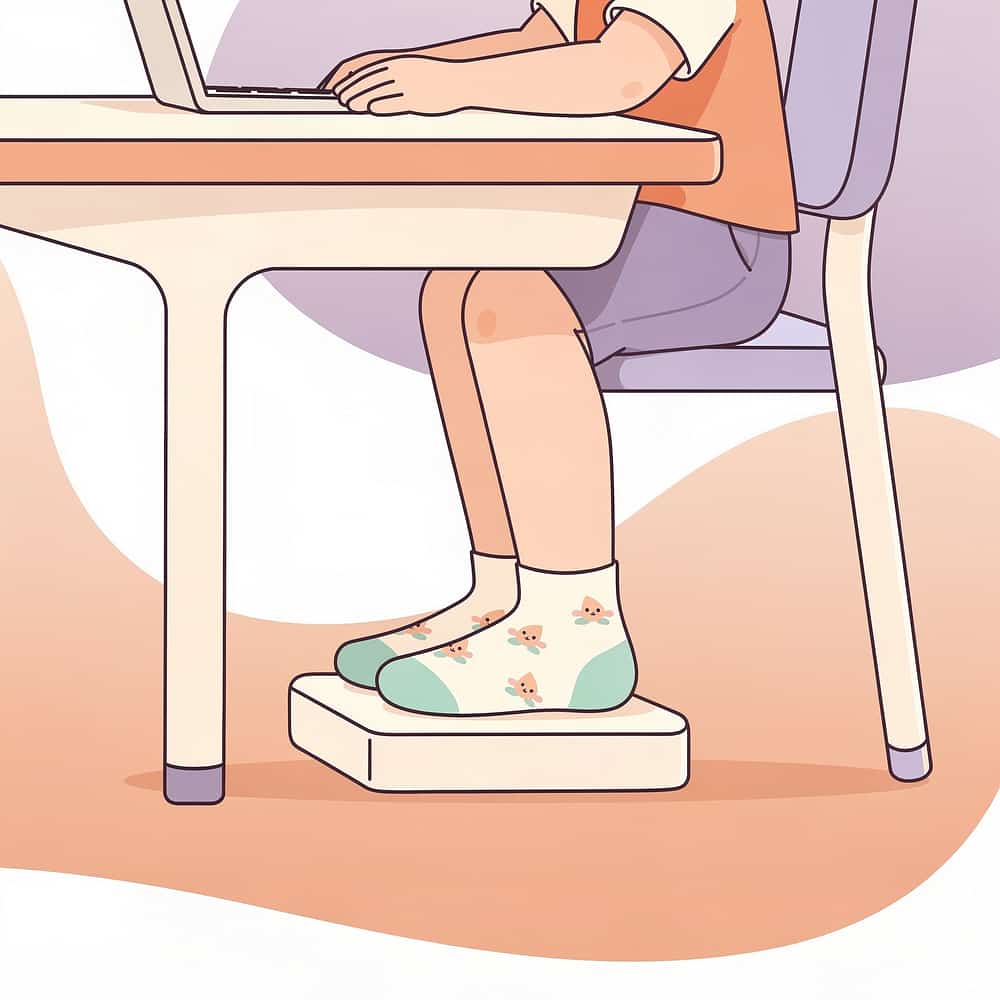
Adjust desk height for 90-degree elbow angle
When seated with feet flat, elbows should be at right angles while writing
4
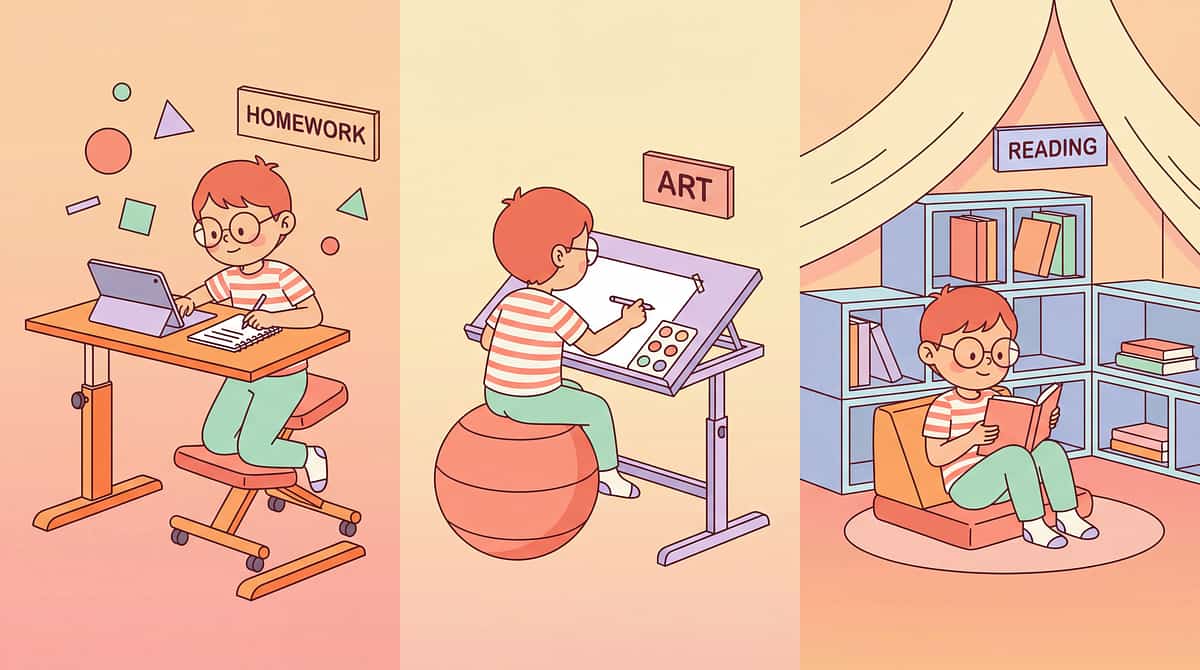
Consider standing desk options for movement seekers
Some children focus better when able to stand and shift weight during work
5
Match modifications to your child's specific needs
Not all children need the same setup—observe what helps most
6
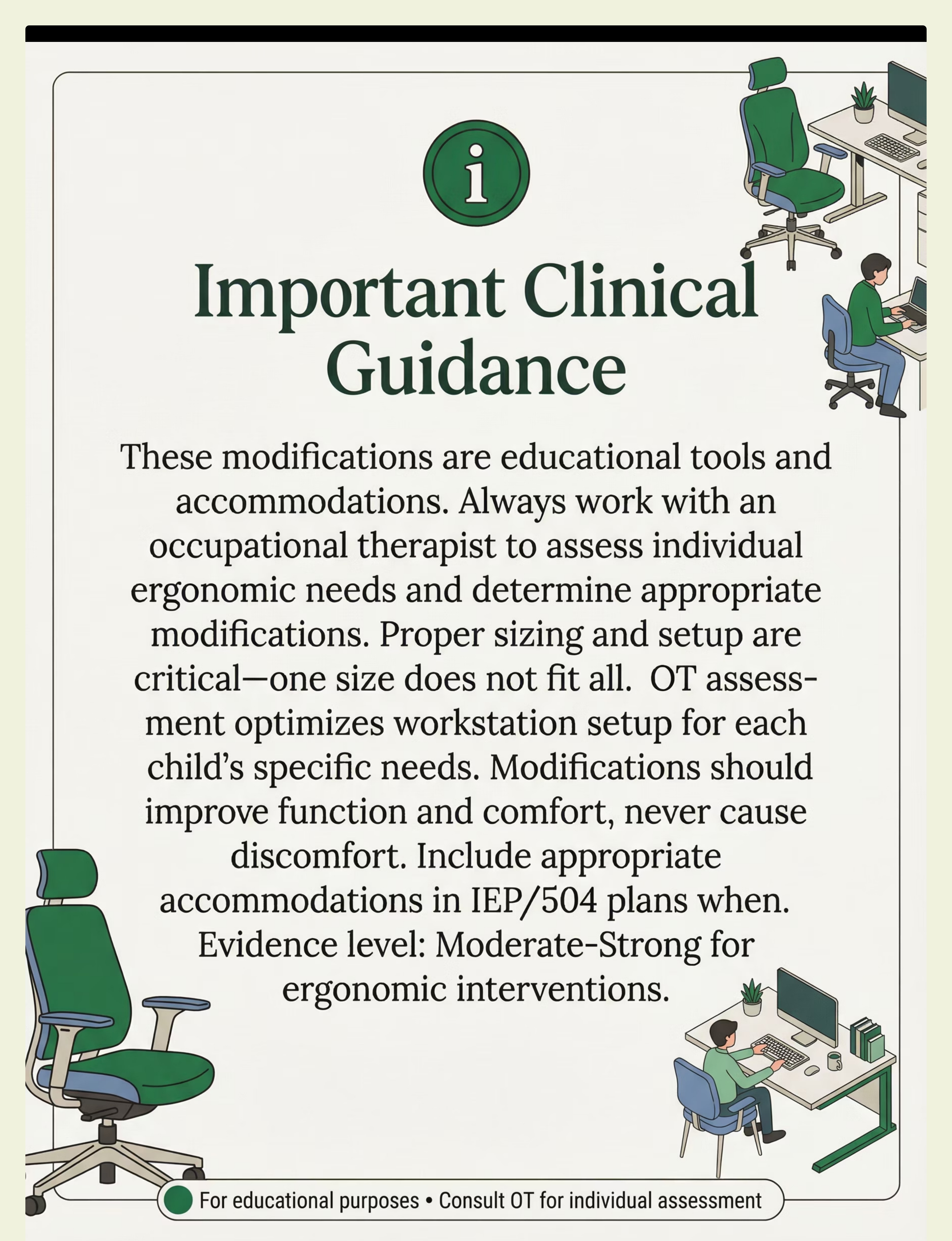
Request OT assessment for optimal setup
Professional evaluation ensures modifications address your child's unique needs
Duration: Use modifications during all desk work; this becomes a permanent part of your child's workspace setup for sustained benefit.

Expert Insight
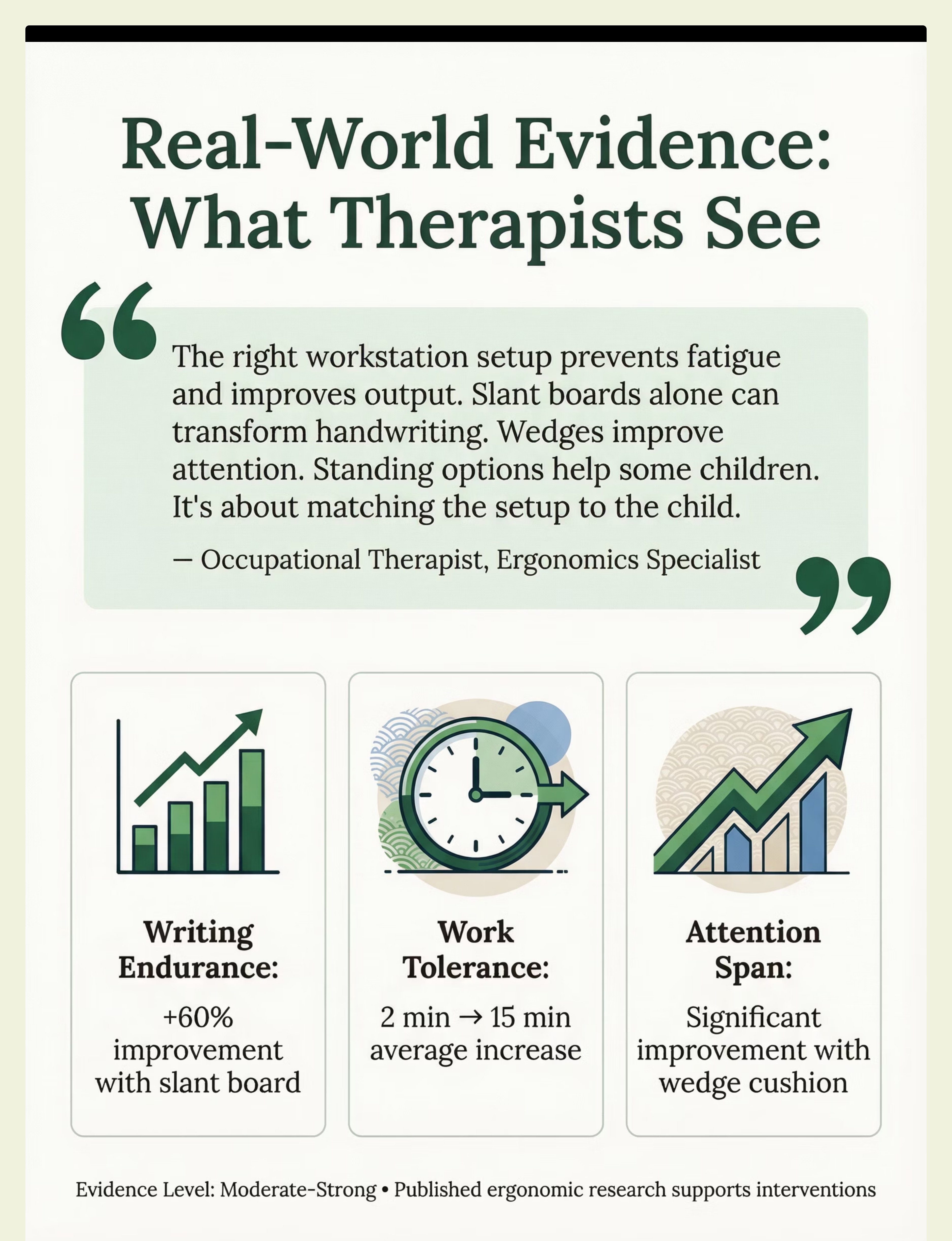
"The right workstation setup prevents fatigue and improves output. Slant boards alone can transform handwriting. Wedges improve attention. Standing options help some children. It's about matching the setup to the child."— Occupational Therapist, Ergonomics Specialist
OT + SpEd Recommended
Moderate-Strong Evidence
Rank #2 in Category
Daily Use

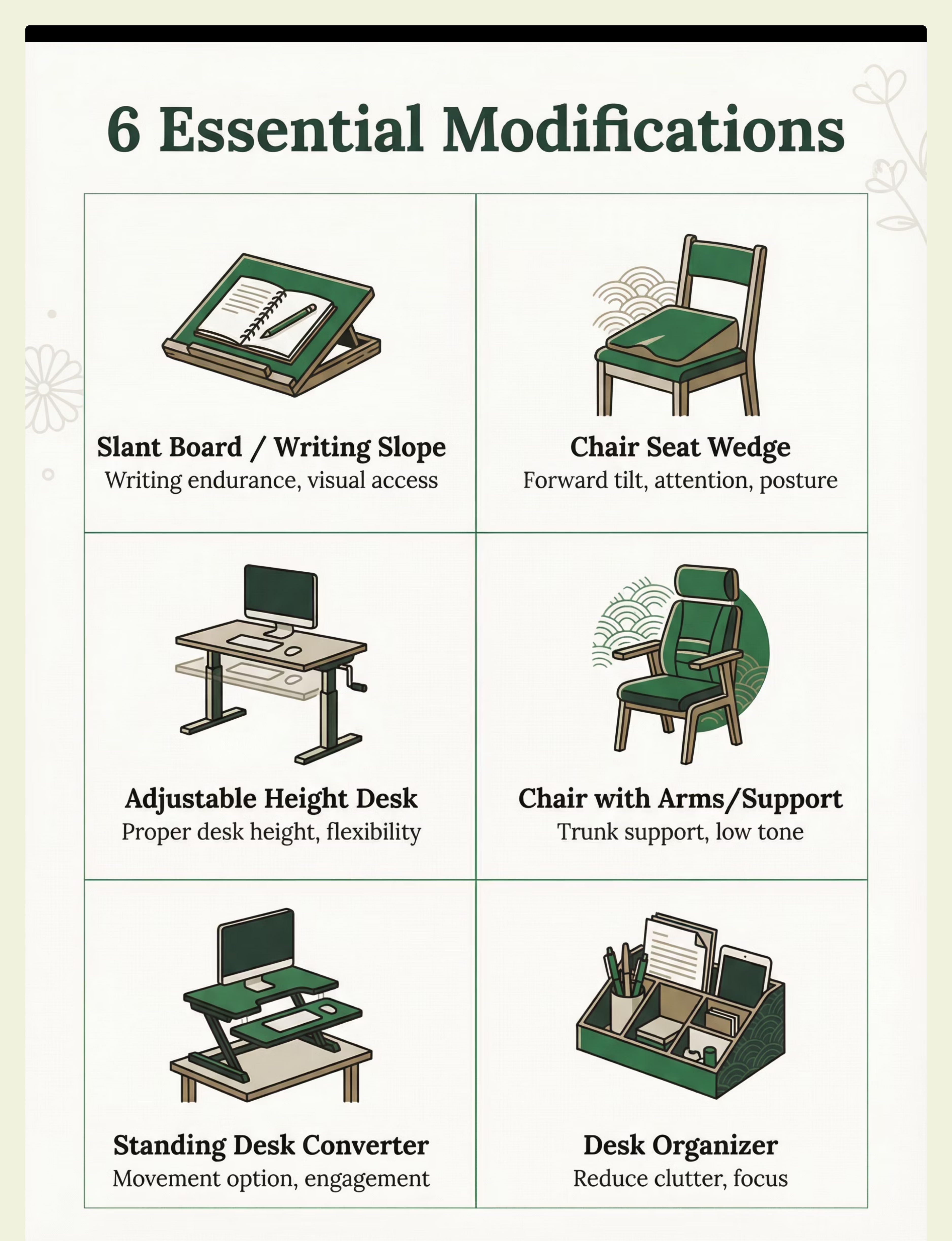
Choose Your Option (6 Variants)
Each modification addresses specific positioning or ergonomic needs. Select based on your child's primary challenges at their workspace.
How to Choose
Slant Board / Writing Slope
Best for: Writing, visual positioning, wrist extension
Type: Wrist/arm positioning (angled writing surface)
Ages: 4+ years | Settings: Home, School, Clinic
Portability: High | Price: ₹300–1,000
Chair Seat Wedge
Best for: Forward tilt, attention, low tone
Type: Pelvic positioning (foam wedge on chair seat)
Ages: 4+ years | Settings: School, Home
Portability: High | Price: ₹300–800
Adjustable Height Desk
Best for: Proper desk height, standing option
Type: Work surface accommodation (desk with height adjustment)
Ages: All ages | Settings: Home, School
Portability: Low | Price: ₹3,000–15,000
Chair with Arms/Support
Best for: Low tone, need for trunk support
Type: Postural support (chair providing lateral and arm support)
Ages: All ages | Settings: Home, School
Portability: Low | Price: ₹1,500–5,000
Standing Desk Converter
Best for: Children who work better standing
Type: Standing work option (addition that creates standing workspace)
Ages: 6+ years | Settings: Home, School
Portability: Low | Price: ₹2,000–8,000
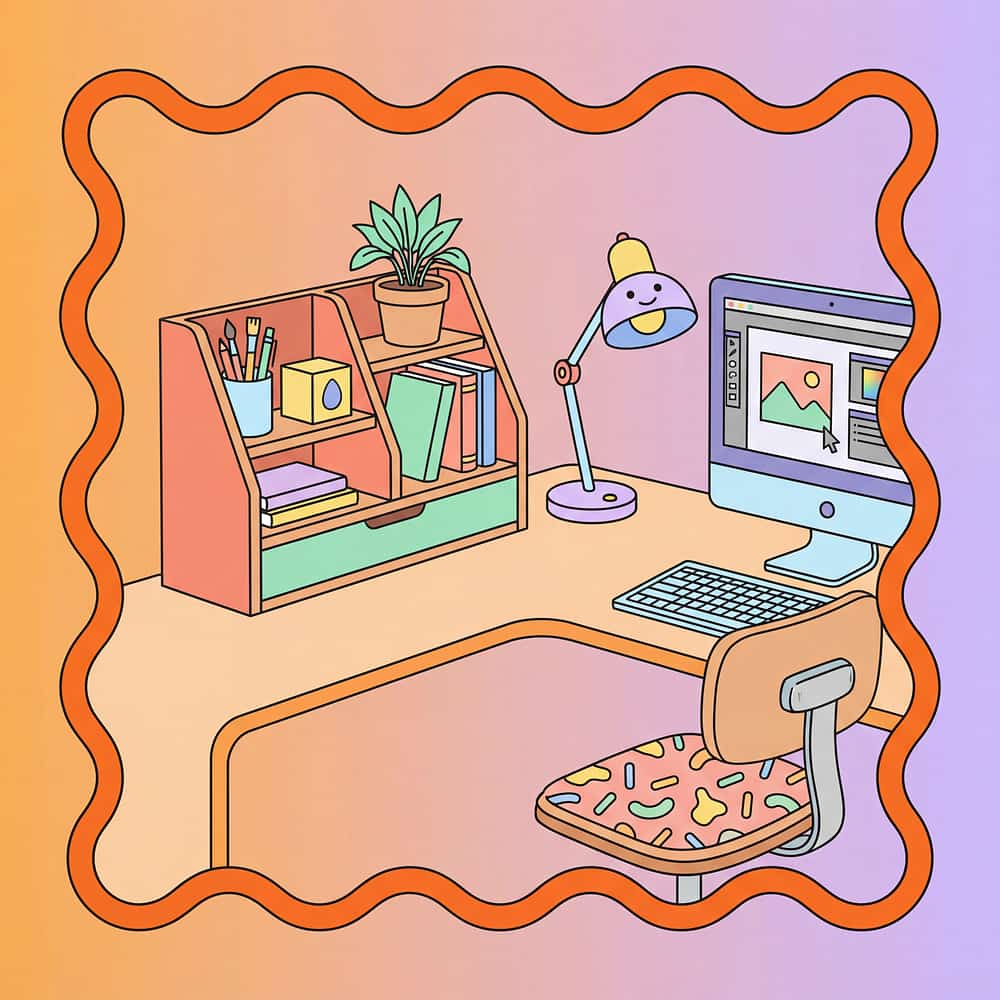
Desk Organizer/Visual Boundary
Best for: Visual clutter reduction, focus
Type: Workspace organization (visual boundaries on desk)
Ages: 4+ years | Settings: All
Portability: High | Price: ₹100–500
By Primary Goal
- Writing fatigue: Slant Board
- Attention/sitting: Wedge Cushion
- Movement needs: Standing Desk
- Visual clutter: Organizer/Boundaries
By Portability Need
- High portability: Slant Board, Wedge, Organizer
- Permanent setup: Adjustable Desk, Supportive Chair
Specifications & Key Modifications
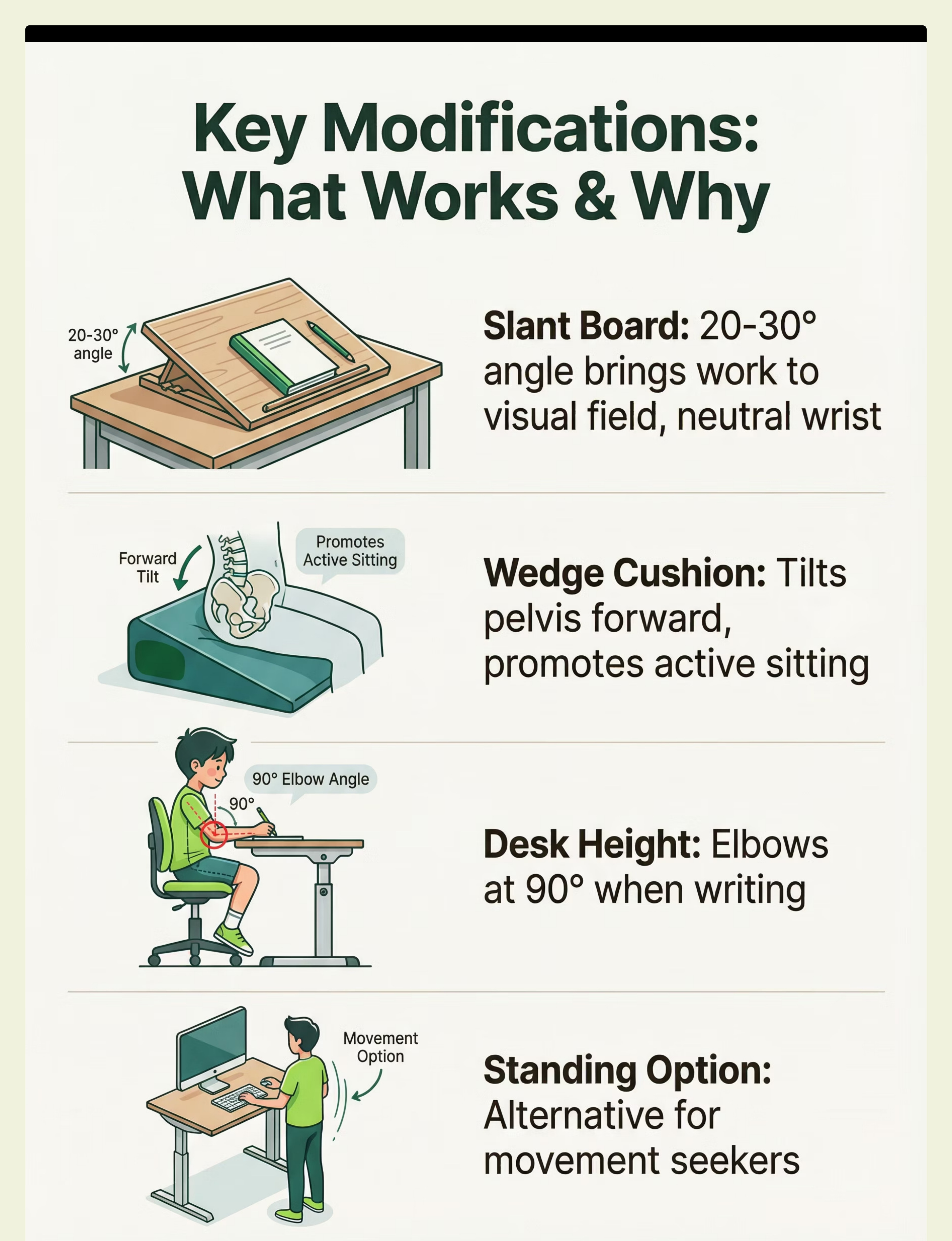
Key Modifications Explained

Slant Board
20-30 degree angle for writing, brings work to visual field, reduces wrist strain

Wedge Cushion
Tilts pelvis forward, promotes active sitting and improved attention span

Ergonomic Positioning (Desk Height & Footrest)
Elbows at 90 degrees when writing, feet flat on floor or footrest—prevents shoulder, neck, and back strain

Standing Option
Alternative to sitting for movement seekers—allows weight shifting and position changes

Visual Boundaries / Desk Organizer
Reduce visual clutter, define workspace limits, improve focus on task at hand
Materials & Features
Common Materials
- Wood/plastic (slant boards)
- Foam (wedge cushions)
- Metal/wood (desks and chairs)
Essential Features
- Appropriate size for child
- Correct angle or height adjustment
- Stable and secure construction
- Matched to child's specific needs
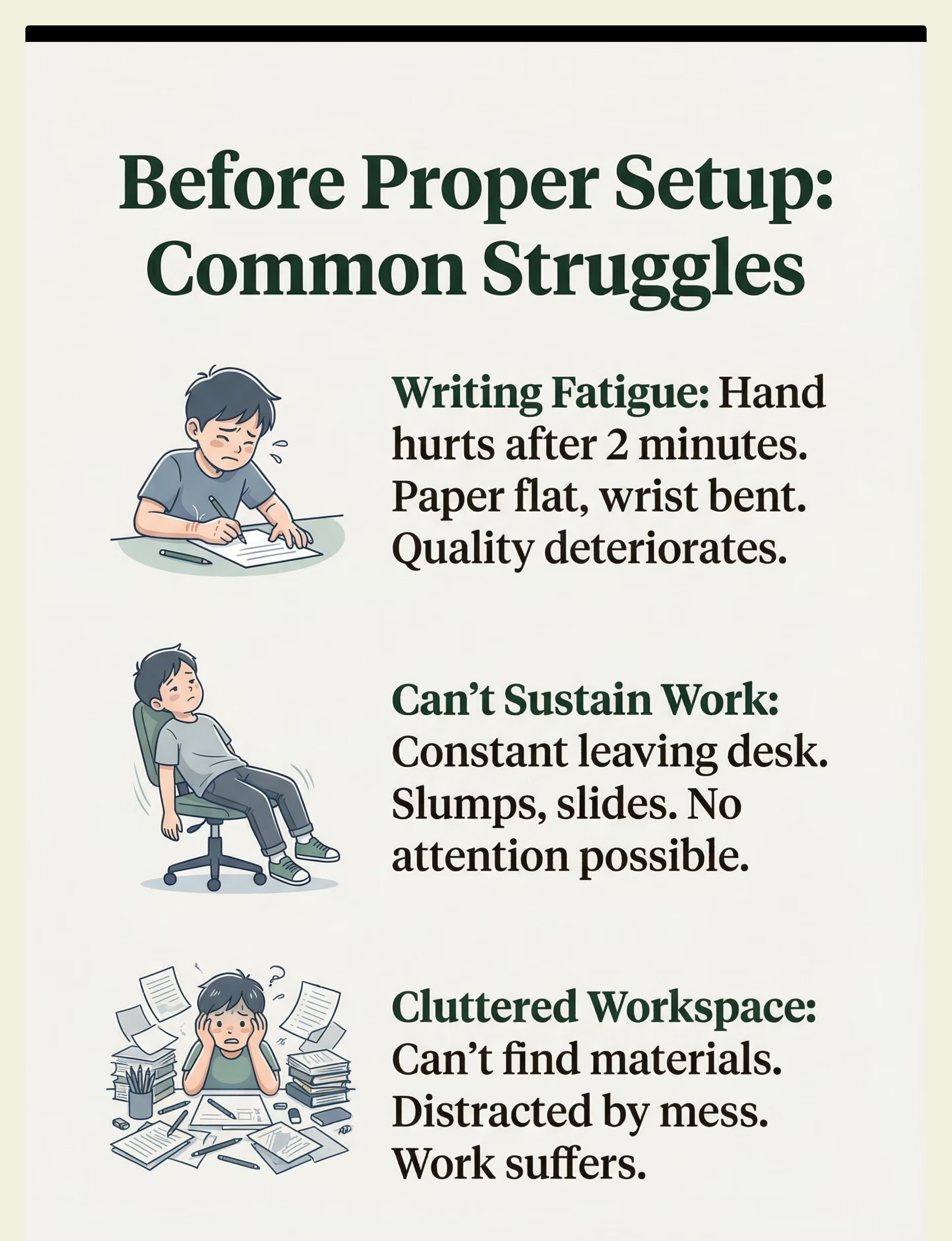
The Struggle (Before)
Writing Fatigue
Situation: Child writes for 2 minutes then hand hurts. Paper flat, wrist bent awkwardly.
Experience: Fatigue limits output significantly. Handwriting deteriorates rapidly with each line.
Emotion: Fatigue, pain, frustration
Can't Sustain Desk Work
Situation: Child can't stay at desk for more than minutes. Slumps, slides down chair, leaves workspace constantly.
Experience: No attention to work possible. Parents and teachers redirect repeatedly. Desk time dreaded by everyone.
Emotion: Avoidance, restlessness, defeat
Cluttered Workspace
Situation: Desk covered in items, papers, supplies everywhere. No clear work surface visible.
Experience: Child overwhelmed before starting. Can't find needed materials. Distracted by visual clutter. Work output suffers dramatically.
Emotion: Overwhelm, distraction, chaos

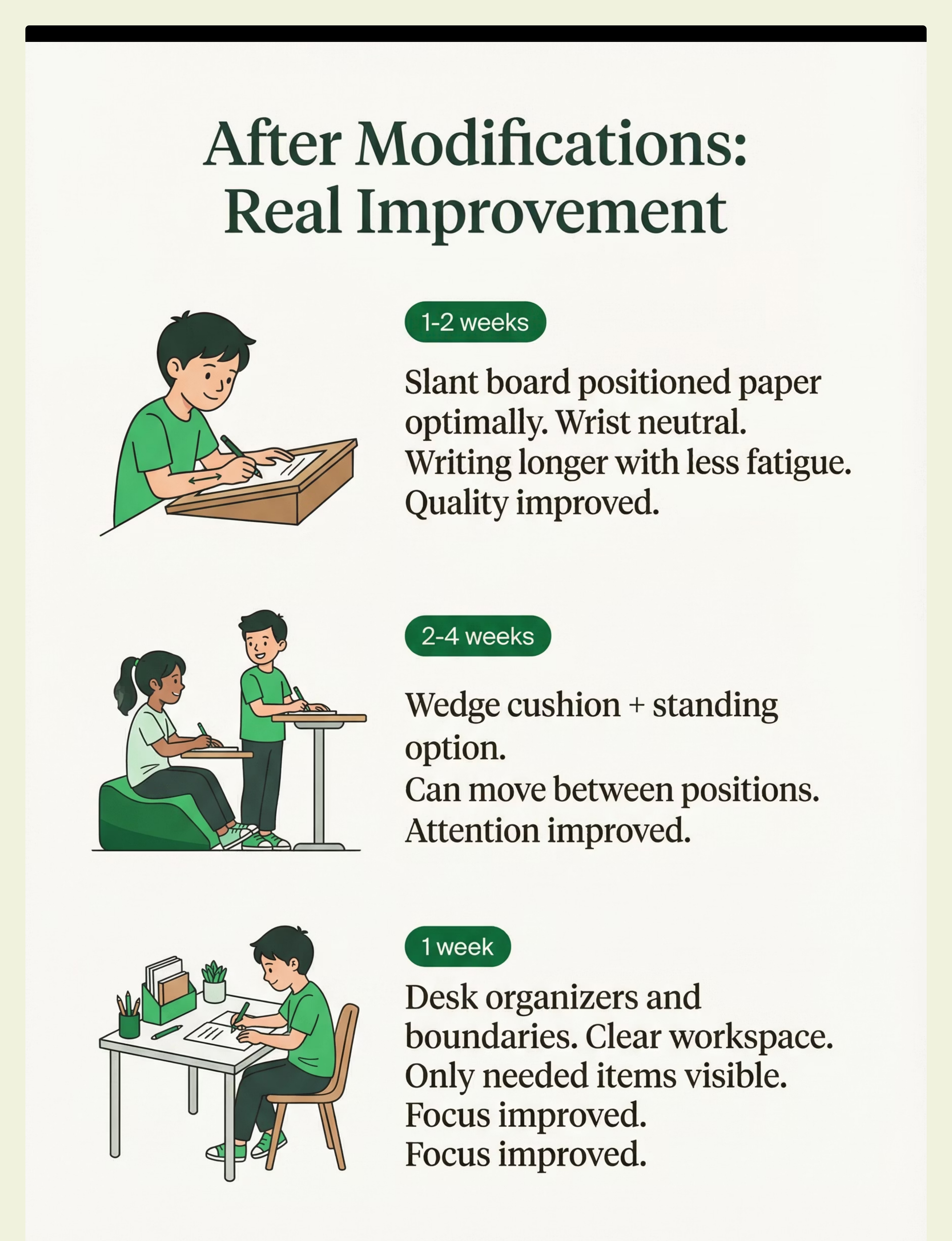
The Breakthrough (After)
Writing Endurance Transformed
Situation: Slant board positioned paper at optimal angle for visual field and wrist position.
Experience: Wrist in neutral alignment. Writing for much longer periods with less fatigue. Quality improved noticeably.
Emotion: Endurance, confidence, improved
1-2 weeks
Sustained Work Now Possible
Situation: Wedge cushion added plus standing desk option available when needed.
Experience: Can move between sitting and standing positions. Attention span at desk improved dramatically. Desk time now productive and possible.
Emotion: Options, engagement, success
2-4 weeks
Clear, Organized Workspace
Situation: Desk organizers and visual boundaries implemented. Clear zones established.
Experience: Only needed items visible in work area. Everything has a place. Focus dramatically improved on tasks.
Emotion: Organized, focused, calm
1 week

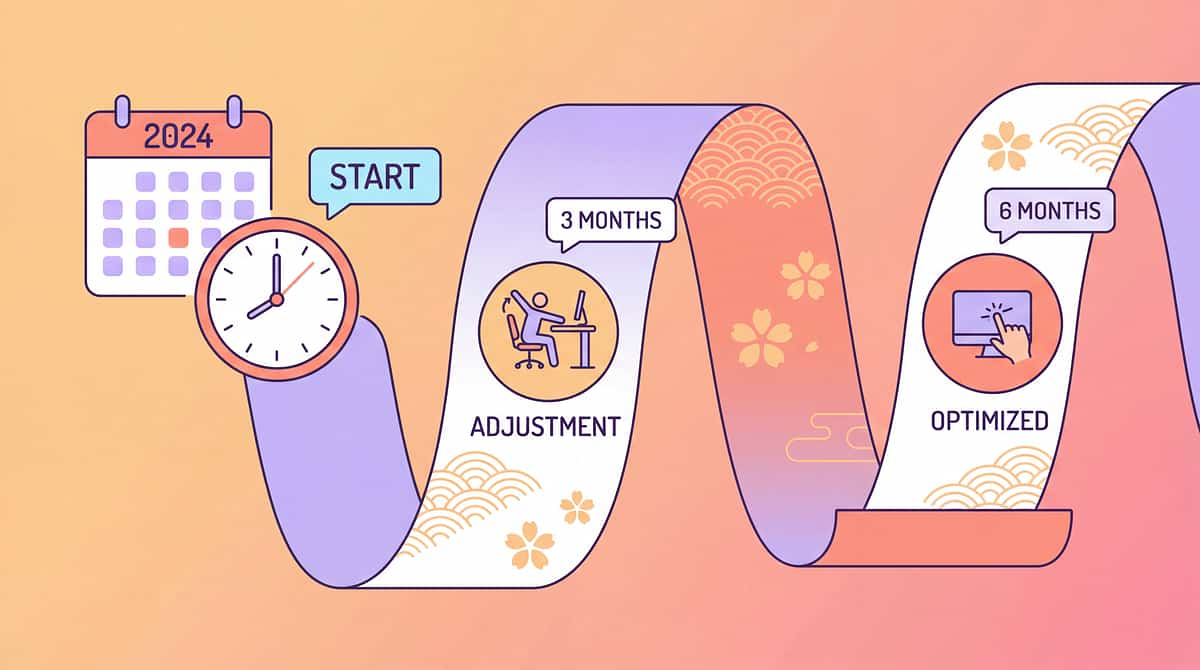
What to Expect (Realistic Timelines)
Modifications in place
Immediate - 1 week
Writing endurance improves
1-2 weeks
Desk work tolerance increases
2-4 weeks
Posture and positioning improved
1-2 weeks
Work output improves
2-4 weeks
Progress timelines vary by child and consistency of use. Some children show immediate improvements in comfort, while functional gains build over weeks of proper positioning. The key is finding the right modifications for your child's specific needs and using them consistently.

Is This Right for My Child? (2-Minute Check)
Does your child fatigue quickly when writing?
If yes, this indicates: Slant board may help reduce wrist strain and improve writing endurance
92% confidence
Is your child's desk/chair the right size?
If no, this indicates: Height adjustments needed—improper sizing causes fatigue and poor posture
If yes: Check other modifications for additional optimization
95% confidence
Does your child work better standing?
If yes, this indicates: Standing desk option may significantly improve attention and work output
85% confidence
Is your child's workspace cluttered and distracting?
If yes, this indicates: Organization systems and visual boundaries needed for focus
88% confidence
Scoring guide: 3+ "yes" answers = strong fit for desk/chair modifications. Even one "yes" indicates a specific modification could help your child.

Usage Guide
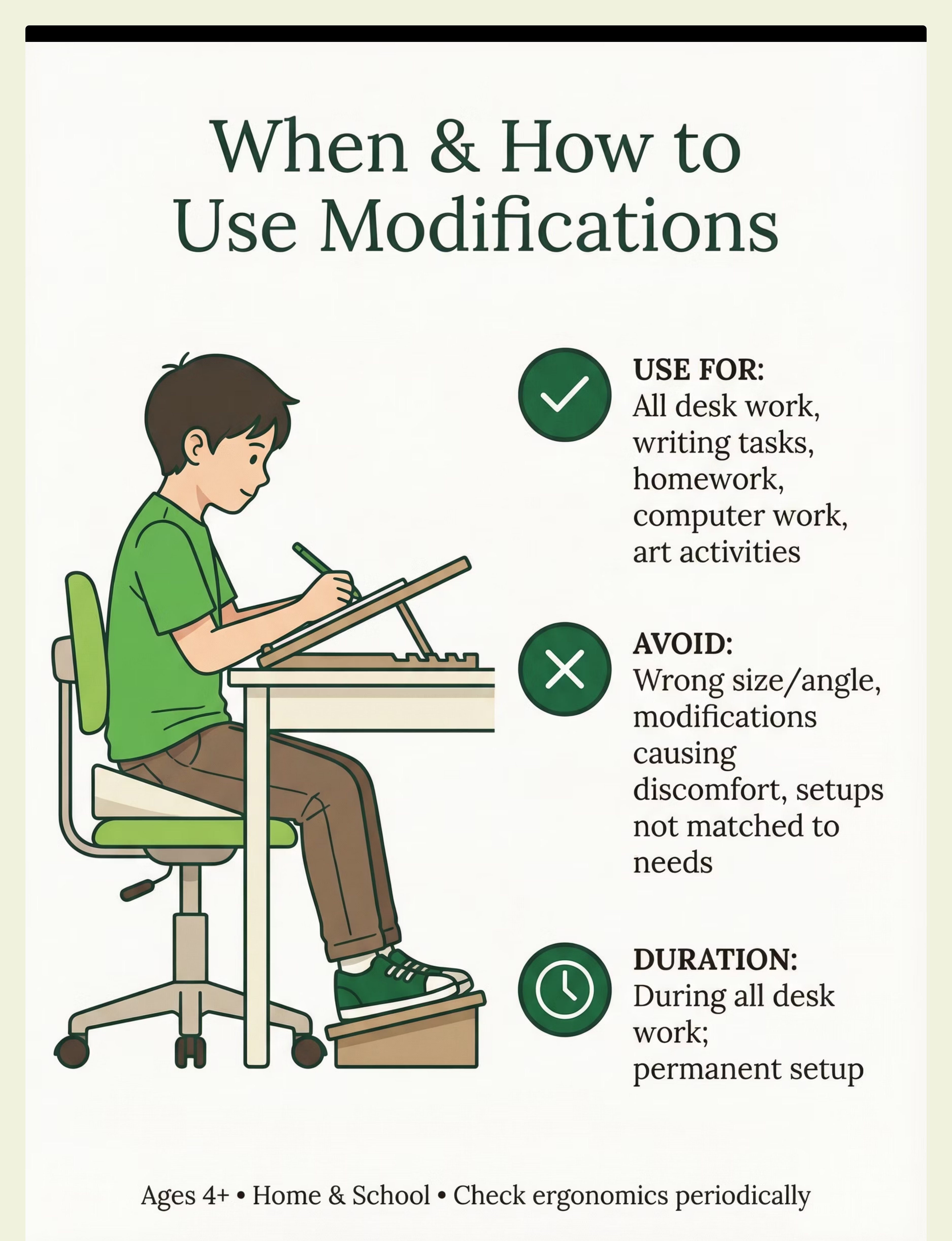
When to Use
All desk and table work tasks
Writing and handwriting practice
Homework and study time
Computer work and screen time
Art and creative activities
When NOT to Use
Modifications causing discomfort or pain
Wrong size or angle for child's body
When not matched to child's needs
Supervision by Age
All Ages | Set up appropriately by adult; check positioning periodically to ensure proper use and comfort |
Duration: Use during all desk work; this becomes a permanent setup. Match modifications to specific needs and adjust as child grows.
Ages 4+ years
Home
School

Safety First
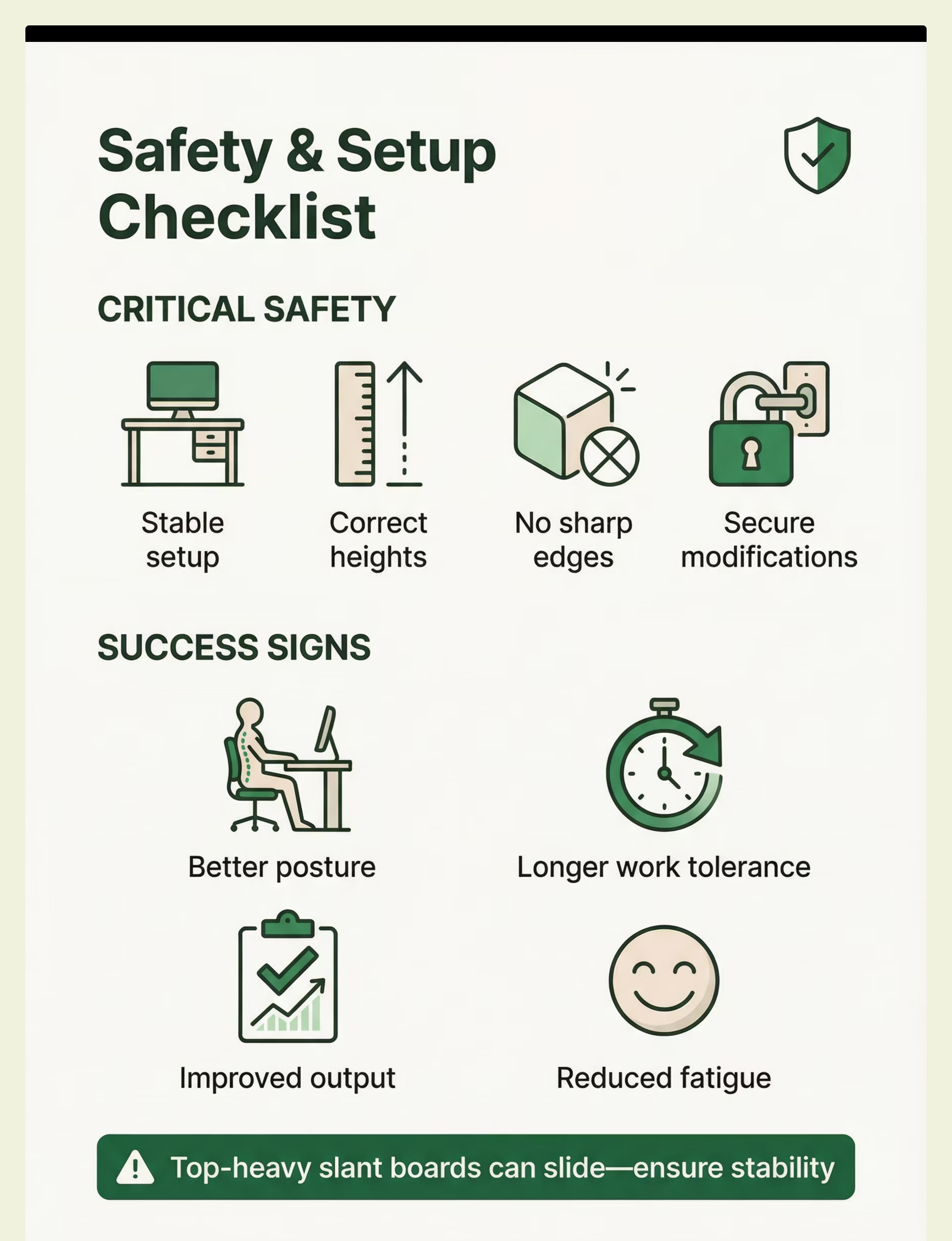
Critical Safety
- Stable desk and chair—no wobbling
- Correct heights for child's body
- No sharp edges on any modifications
- All modifications secured properly
Important Warnings
- Top-heavy slant boards can slide—secure them
- Ensure standing desks are completely stable
- Check that ergonomics match child's needs
Contraindicated Situations
- Unstable or poorly secured setups
- Wrong sizing for child's body
- Positioning that causes discomfort
Safety Checklist
Before Use
- ✓ Modifications stable and secure
- ✓ Heights correct for child
- ✓ Comfortable positioning
- ✓ Matched to child's needs
During Use
- ✓ Child using correctly
- ✓ Improved function visible
- ✓ No pain or discomfort
- ✓ Sustainable positioning
Signs of Success
- ✓ Improved work output
- ✓ Reduced fatigue
- ✓ Better posture maintained
- ✓ Longer work tolerance

Common Questions (Honest Answers)
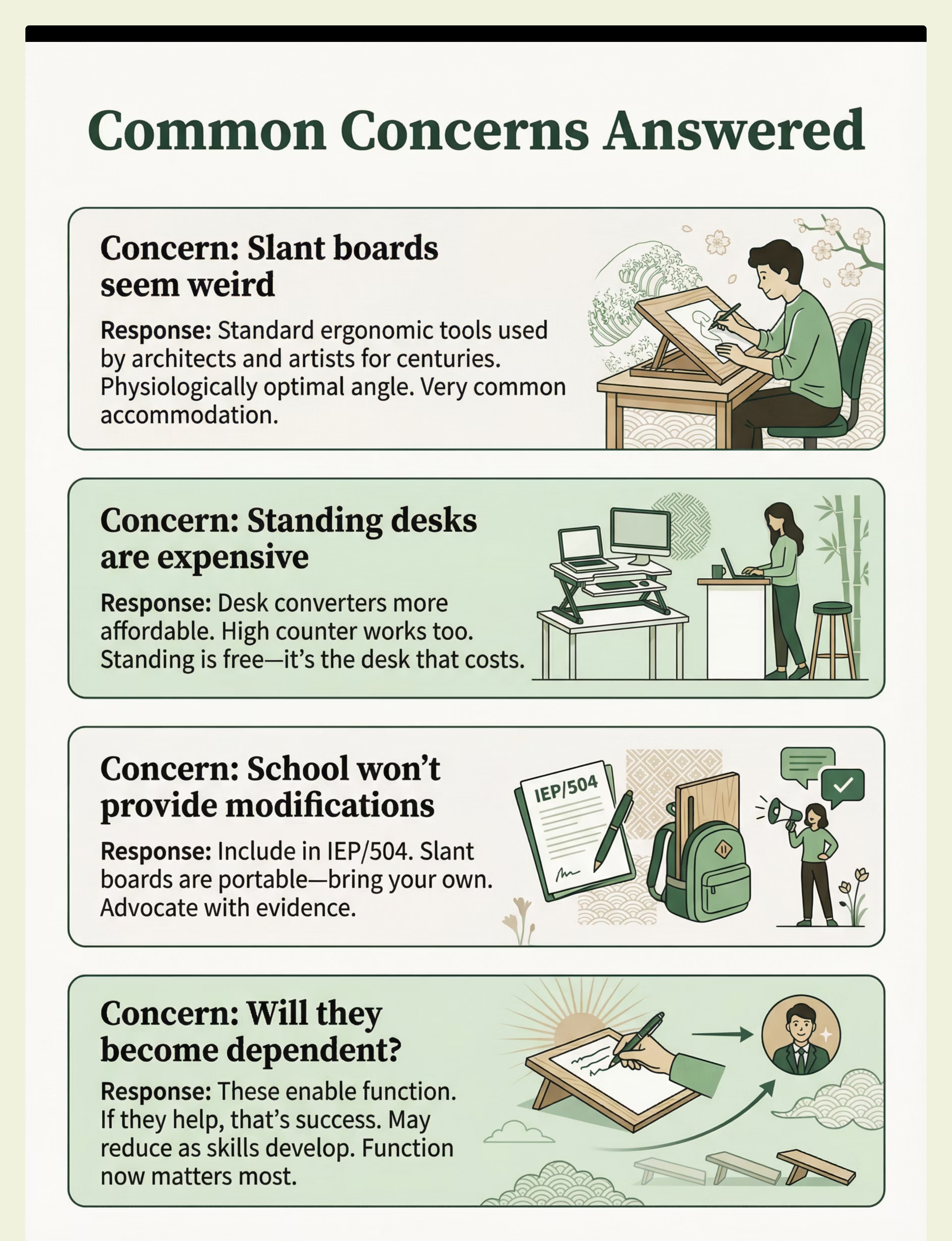
Q: Slant boards seem weird
A: They're standard ergonomic tools used by architects, artists, and for centuries in schools worldwide. The 20-30 degree angle is physiologically optimal for writing and has extensive research support. Very common accommodation in educational and therapeutic settings.
Try this: Standard ergonomic tool with historical precedent; widely used in educational settings.
Q: Standing desks are expensive
A: Full standing desks are costly, but desk risers and converters are more affordable options (₹2,000-8,000). You can also simply use a high counter or table surface. Standing itself is free—it's creating the right work surface height that has a cost.
Try this: Desktop risers/converters are budget-friendly; improvise with existing high surfaces.
Q: School won't provide modifications
A: Include specific modifications in your child's IEP or 504 plan with OT recommendations. Many modifications like slant boards and wedge cushions are inexpensive and portable—you can provide them yourself. Advocate with evidence of benefit.
Try this: Document in IEP/504; bring portable items yourself; advocate with data on benefit.
Q: Will they become dependent on modifications?
A: These are accommodations that enable current function—that's success, not dependence. As your child's skills develop over time, you may be able to reduce some modifications. Function and success now matter most for learning and development.
Try this: Enabling function is the goal; modifications can be adjusted as skills develop over time.

Investment Guide for Ergonomic Modifications
Choosing the right ergonomic modifications can significantly impact comfort and productivity. Here's a breakdown of different investment tiers, offering a balance between cost and comprehensive support for various needs.
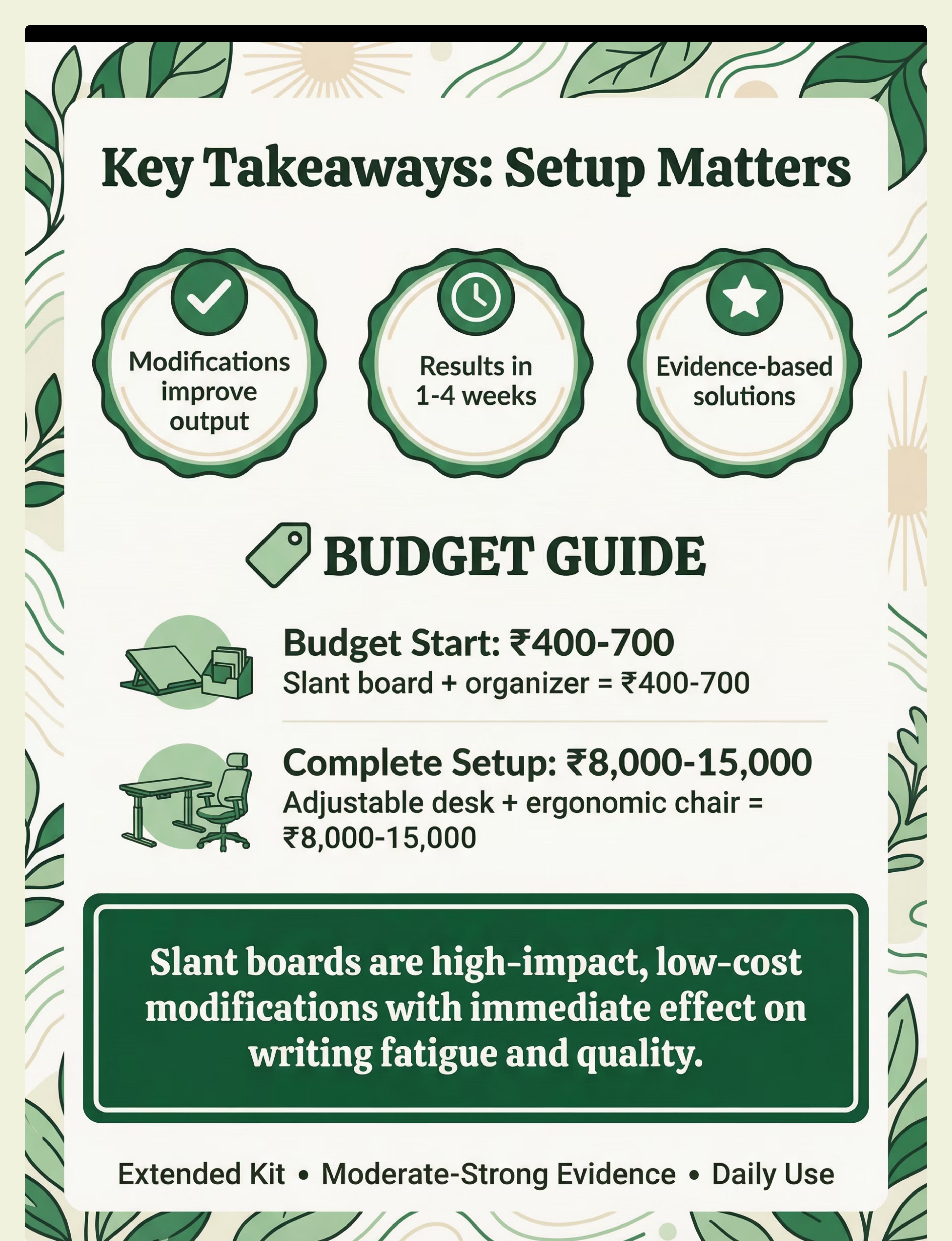
Budget Option | ₹400-700 | Slant board, Basic organizer | Most impactful, affordable starting point | |
Premium Option | ₹8,000-15,000 | Adjustable desk, Ergonomic chair, Slant board | Complete, long-term ergonomic solution |
Budget-Friendly Starting Points
Cost-Effective Solutions
Focuses on essential, high-impact items that address core ergonomic needs without a significant financial outlay.
Slant Board for Writing
Improves posture and reduces neck strain, crucial for students and those who write frequently.
Basic Desk Organizer
Helps maintain a tidy workspace, reducing clutter and improving focus.
Best Starting Point
Ideal for initial trials or when budget is a primary concern. Offers significant ergonomic benefits for minimal investment.
Premium Ergonomic Setup
Adjustable Height Desk
Allows seamless transitions between sitting and standing, promoting dynamic posture throughout the day.
Ergonomic Supportive Chair
Provides optimal lumbar support, adjustability, and comfort for extended periods of sitting.
Integrated Slant Board
Often included as a standard accessory or an easy add-on, ensuring proper writing angle even with advanced setups.
Complete Solution
Represents a holistic approach to workspace ergonomics, designed for long-term health and productivity.
Leading Brands
Options from various specialized ergonomic furniture manufacturers ensure quality and durability.
Overall Range: ₹100–15,000 (USD $1-180) depending on modifications chosen. Start with high-impact, low-cost options like slant boards and wedge cushions, then add other modifications based on your child's response and specific needs.
Low-High Tier
₹100–15,000
USD $1-180

Where to Buy in India
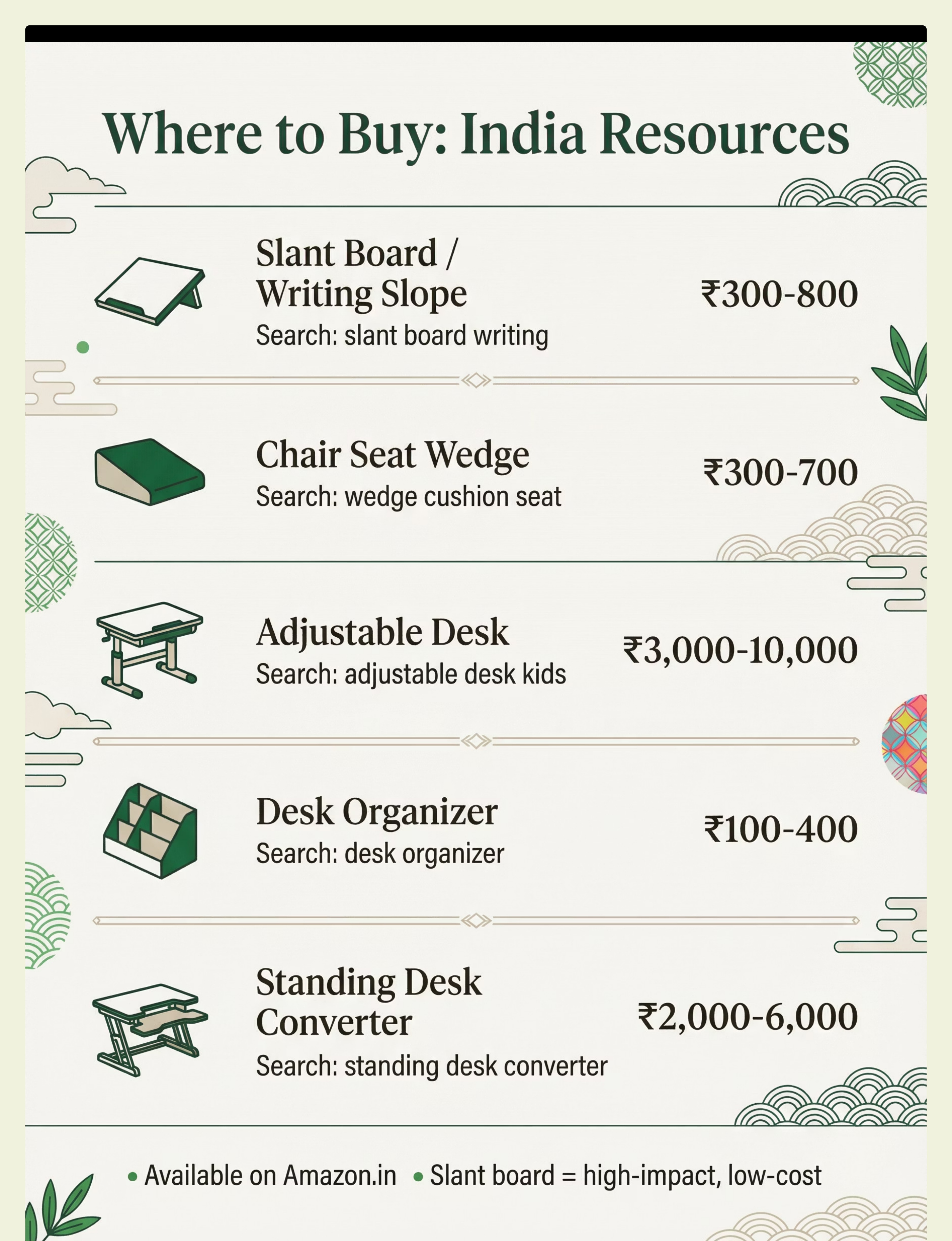
Availability: Widely Available across online and offline retailers throughout India
Amazon.in
Search Terms: "slant board writing"
Price Range: ₹300-800
Amazon.in
Search Terms: "wedge cushion seat"
Price Range: ₹300-700
Amazon.in
Search Terms: "adjustable desk kids"
Price Range: ₹3,000-10,000
Amazon.in
Search Terms: "desk organizer"
Price Range: ₹100-400
Amazon.in
Search Terms: "standing desk converter"
Price Range: ₹2,000-6,000
Buying Tips
Slant board is high-impact, low-cost—start here
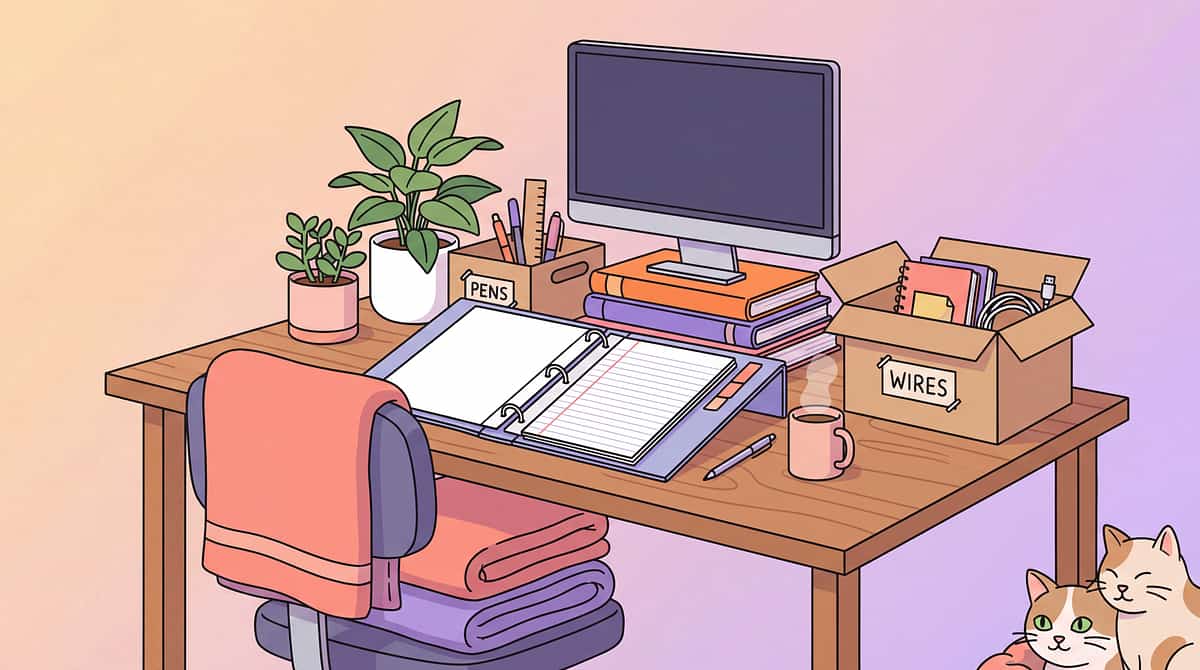
A 3-ring binder can serve as temporary slant board
Wedge cushions are portable—can move between settings
Standing desks can be improvised with existing surfaces
OT assessment can guide specific modifications needed
Red Flags
Wrong size desk or chair for child's body
Modifications not matched to specific needs
Ignoring ergonomics altogether
One-size-fits-all approach without assessment

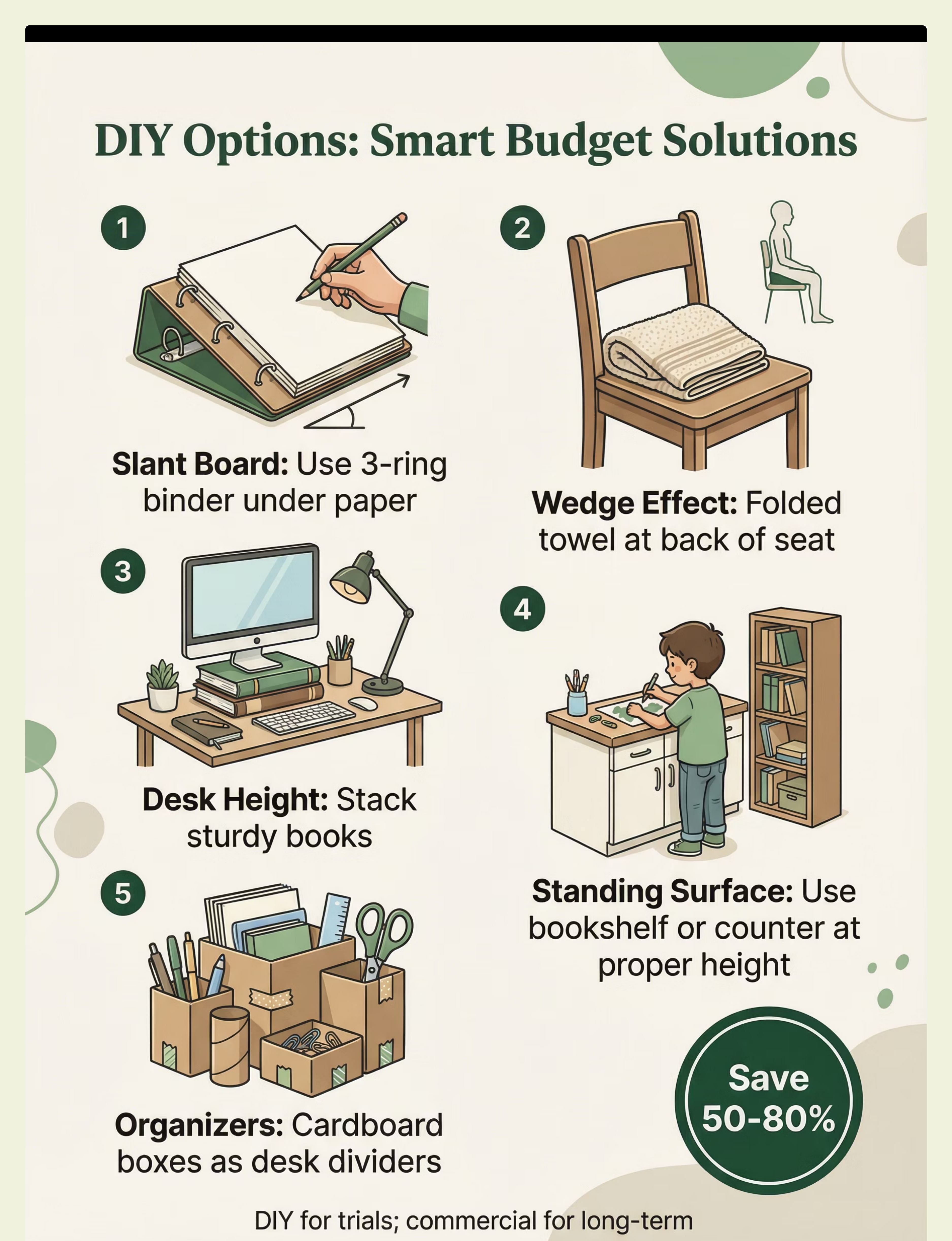
DIY Alternative (Save 50-80%)
Feasibility: Medium-High | Time Required: 15-60 minutes | Cost Savings: 50-80%
Materials Needed
- 3-ring binder (for slant board)
- Folded towel under cushion (for wedge effect)
- Stacked books (for desk height adjustment)
- Cardboard boxes (for organizers)
- Tape for marking boundaries
DIY Steps
1
Create Slant Board
Place 3-ring binder under paper to create writing angle
2
Make Wedge Effect
Fold towel and place at back of seat cushion
3
Adjust Desk Height
Use stack of sturdy books under desk items as needed
4
Create Standing Surface
Use high counter or bookshelf at appropriate height
5
Build Organizers
Use cardboard boxes as desk organizers and dividers
6
Define Boundaries
Use tape lines on desk to define clear work areas
Trade-offs
Durability Concerns
DIY solutions are less durable than commercial products. A binder works well short-term but may not be sustainable for daily long-term use.
When to DIY
- Temporary slant board (binder method)
- Desk organizers and dividers
- Visual boundaries on workspace
- Trial period before purchasing
When to Buy Commercial
- Long-term slant board use
- Adjustable desk or chair needed
- Standing desk converter
- Quality ergonomic solutions for daily use
Preview of desk chair modifications Therapy Material
Below is a visual preview of desk chair modifications therapy material. The pages shown help educators, therapists, and caregivers understand the structure and content of the resource before use. Materials should be used under appropriate professional guidance.


Share this resource
Help others discover thisLink copied!

Complete Support & Resources
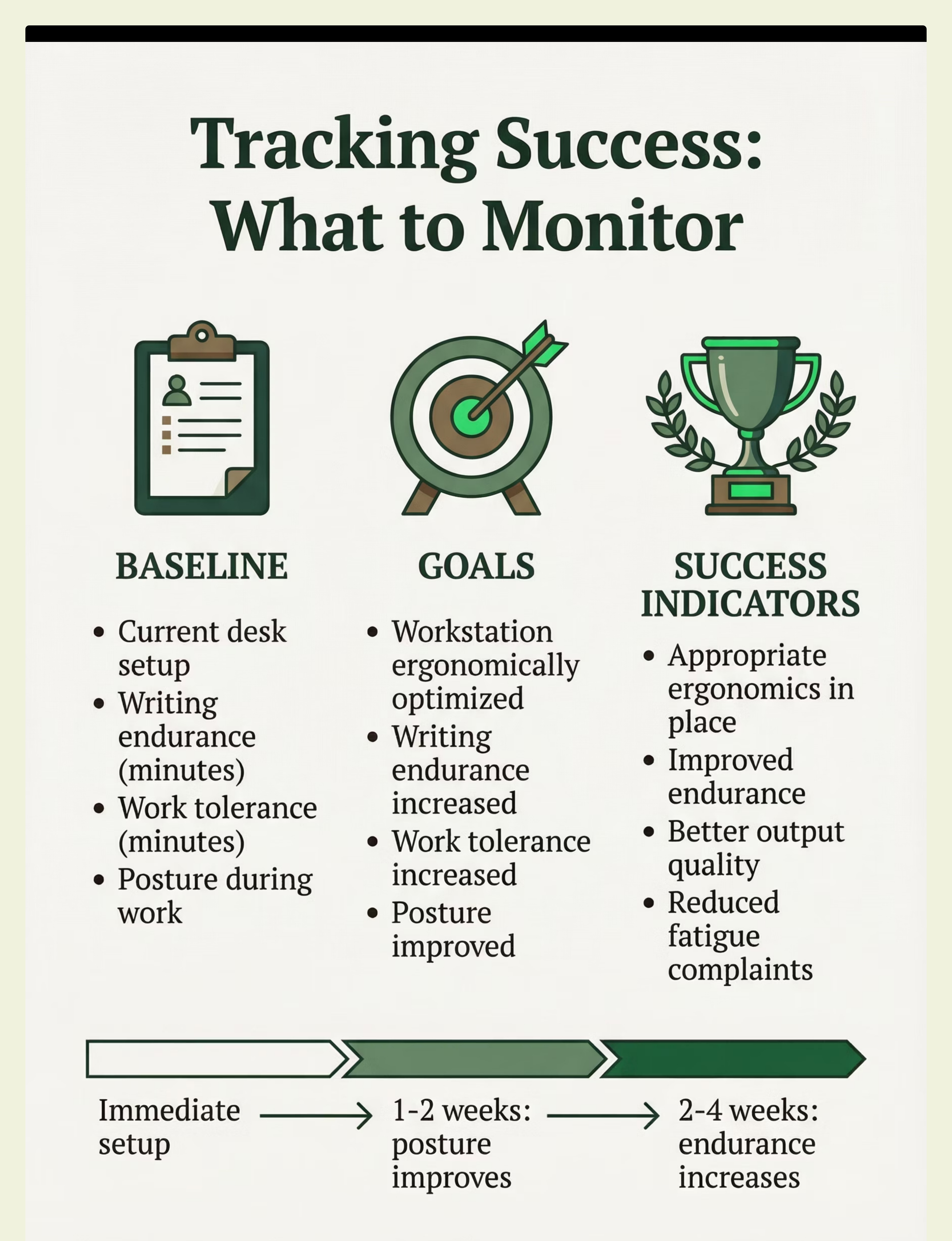
Measuring Success
Track Baseline
- Current desk setup and positioning
- Writing endurance (time before fatigue)
- Work tolerance at desk
- Posture during work activities
Set Goals
- Workstation will be ergonomically optimized
- Writing endurance will increase
- Work tolerance will increase
- Posture will improve during desk work
Success Indicators
- Appropriate ergonomics achieved
- Improved endurance visible
- Better output quality
- Reduced fatigue and discomfort
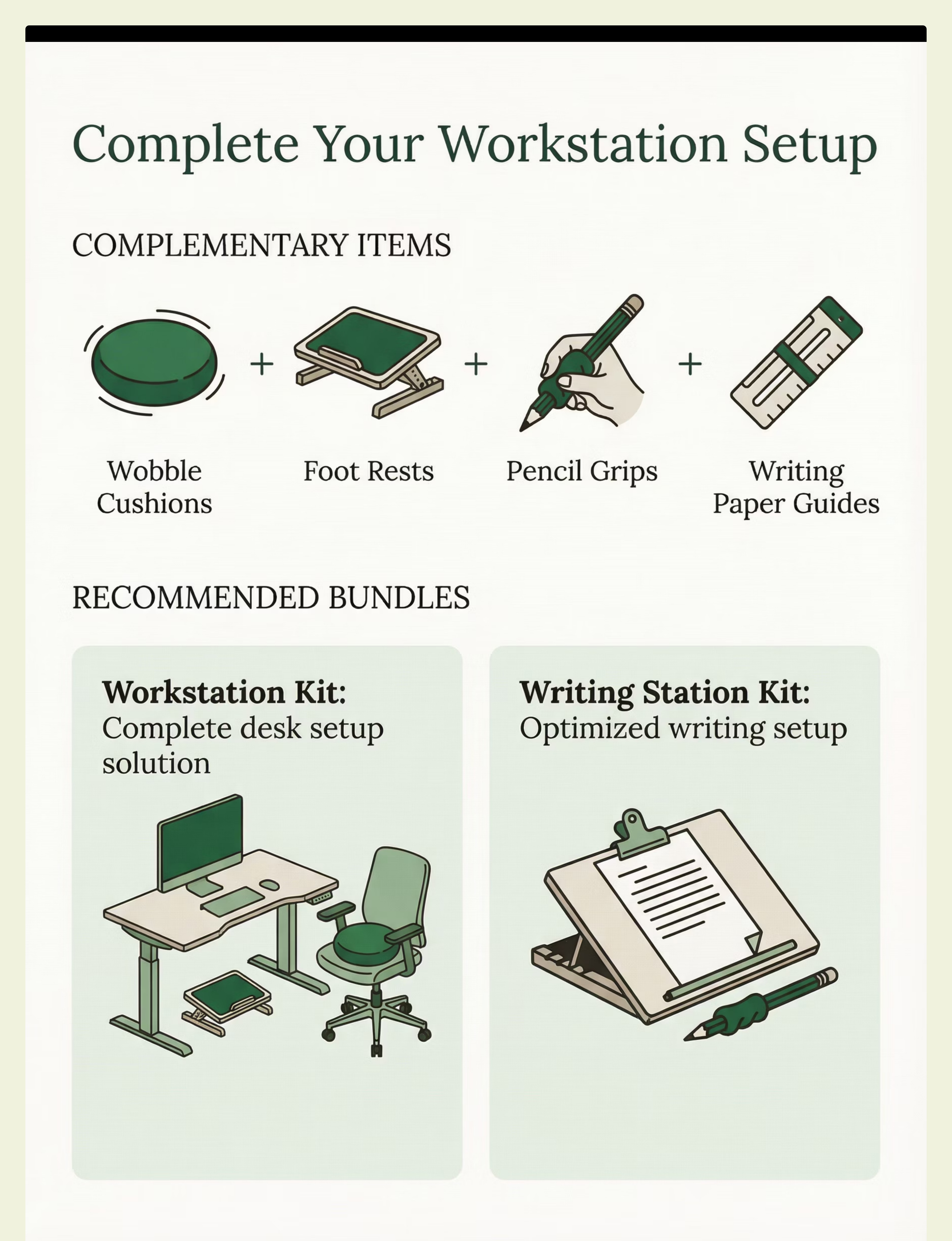
Complete the Kit
These complementary tools work together with desk/chair modifications for comprehensive positioning support:

Wobble Cushions
Tool ID: 12.1 — Seating component for movement while seated

Foot Rests
Tool ID: 12.3 — Complete positioning with feet supported

Pencil Grips
Tool ID: 7.6 — Writing support for proper grasp

Writing Paper Guides
Tool ID: 7.5 — Visual boundaries for writing positioning
Workstation Kit
Complete desk setup: Desk/Chair Modifications + Foot Rests + Wobble Cushions
Use case: Comprehensive ergonomic positioning system
Writing Station Kit
Optimized writing: Slant Board + Pencil Grips + Writing Paper Guides
Use case: Complete writing support system
Quick Summary
Desk and chair modifications optimize workstation ergonomics for improved comfort, reduced fatigue, and better work output through proper positioning. Extended Kit (Rank 2), moderate-strong evidence, valuable positioning support for daily learning activities.
desk
chair
ergonomics
slant board
posture
writing
OT
SpEd
extended-kit
Common searches: slant board writing, wedge cushion posture, ergonomic desk kids, standing desk classroom, writing slope, desk modifications autism, workstation ergonomics
Platform Integration
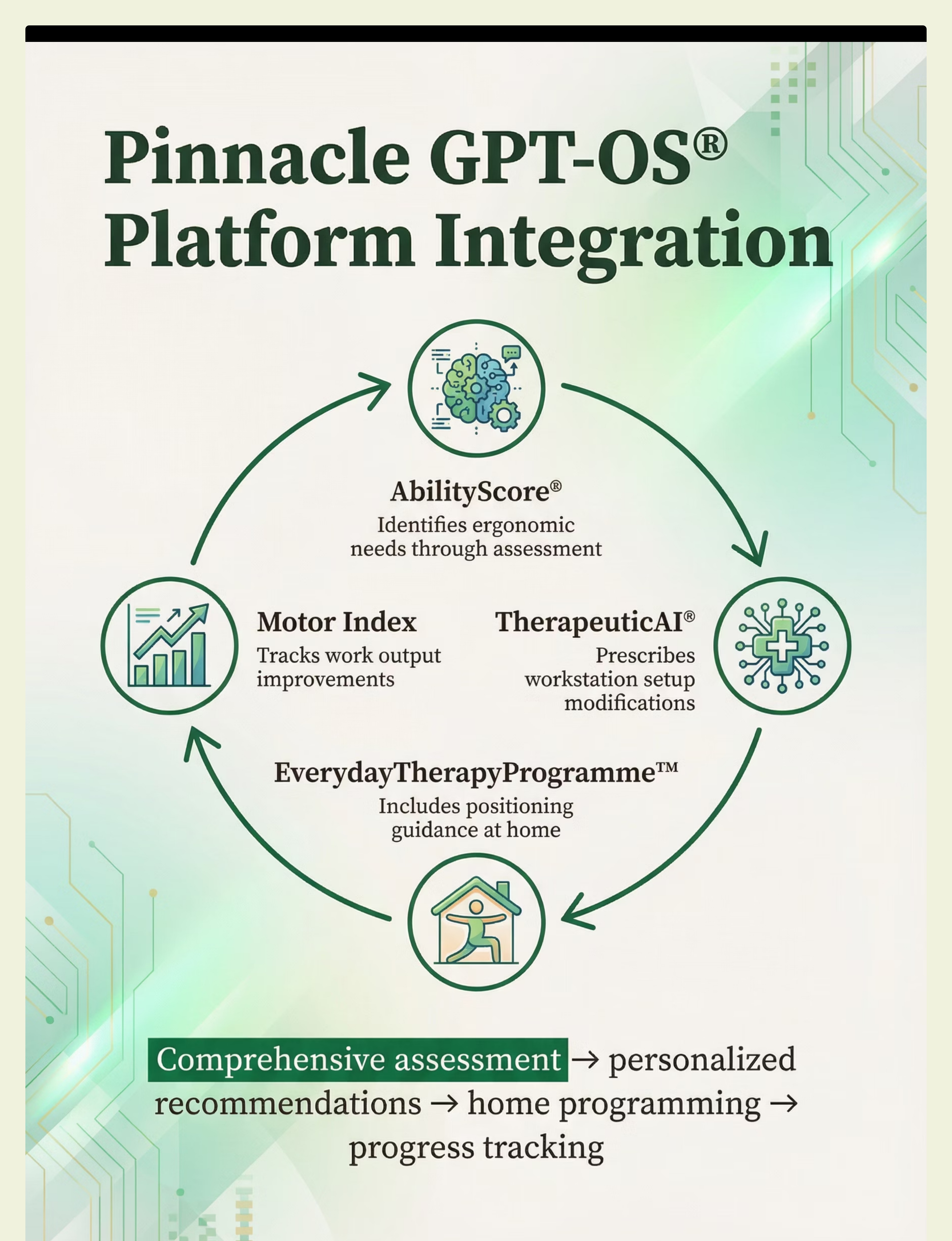
This tool integrates seamlessly with Pinnacle Blooms Network's comprehensive platform:
AbilityScore® identifies your child's specific ergonomic and positioning needs through detailed assessment
TherapeuticAI® prescribes optimal workstation setup based on individual profile and goals
EverydayTherapyProgramme™ includes positioning strategies integrated into daily routines
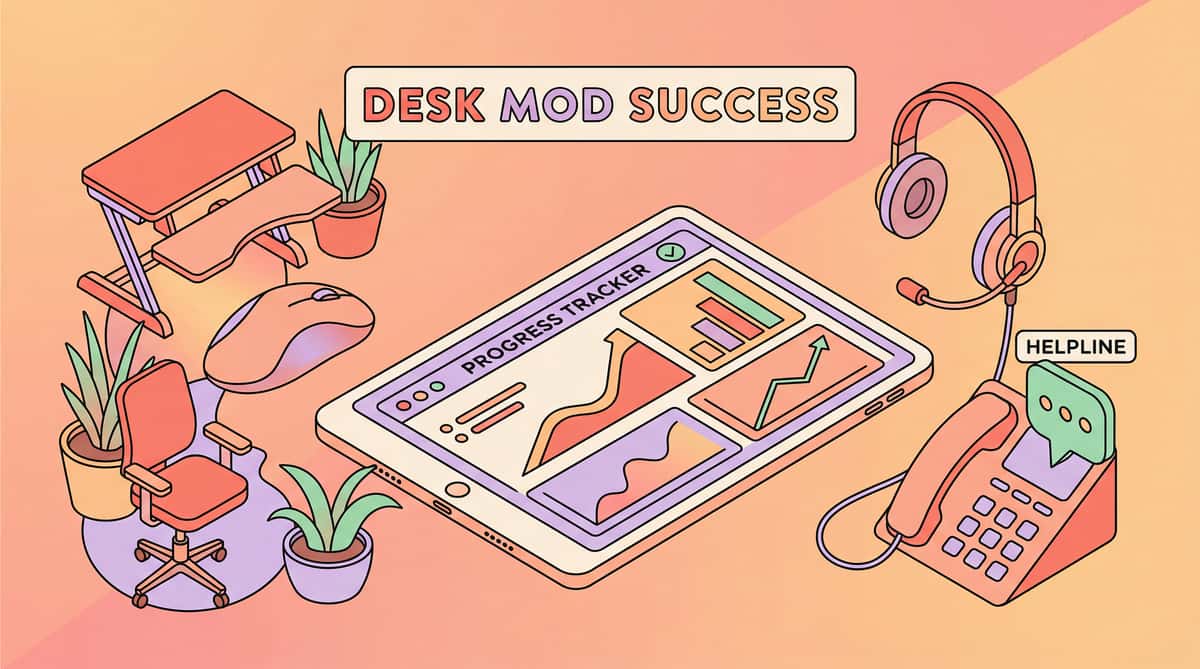
Motor Index tracks improvements in work output, endurance, and positioning over time
Get Expert Support
FREE National Autism Helpline
Phone: 9100 181 181
Languages: 16+ languages supported
Website: pinnacleblooms.org
Disclaimer: This is educational information from Pinnacle Blooms Network. Always consult qualified occupational therapists, speech-language pathologists, or pediatricians for personalized recommendations. Individual results vary based on child's unique needs and consistent implementation.