

















Tool ID: 3.3
Rank #1
Strong Evidence
Daily Use
Visual Timer
Time visualization and duration management system
SpEd + OT
Core Kit
All Settings
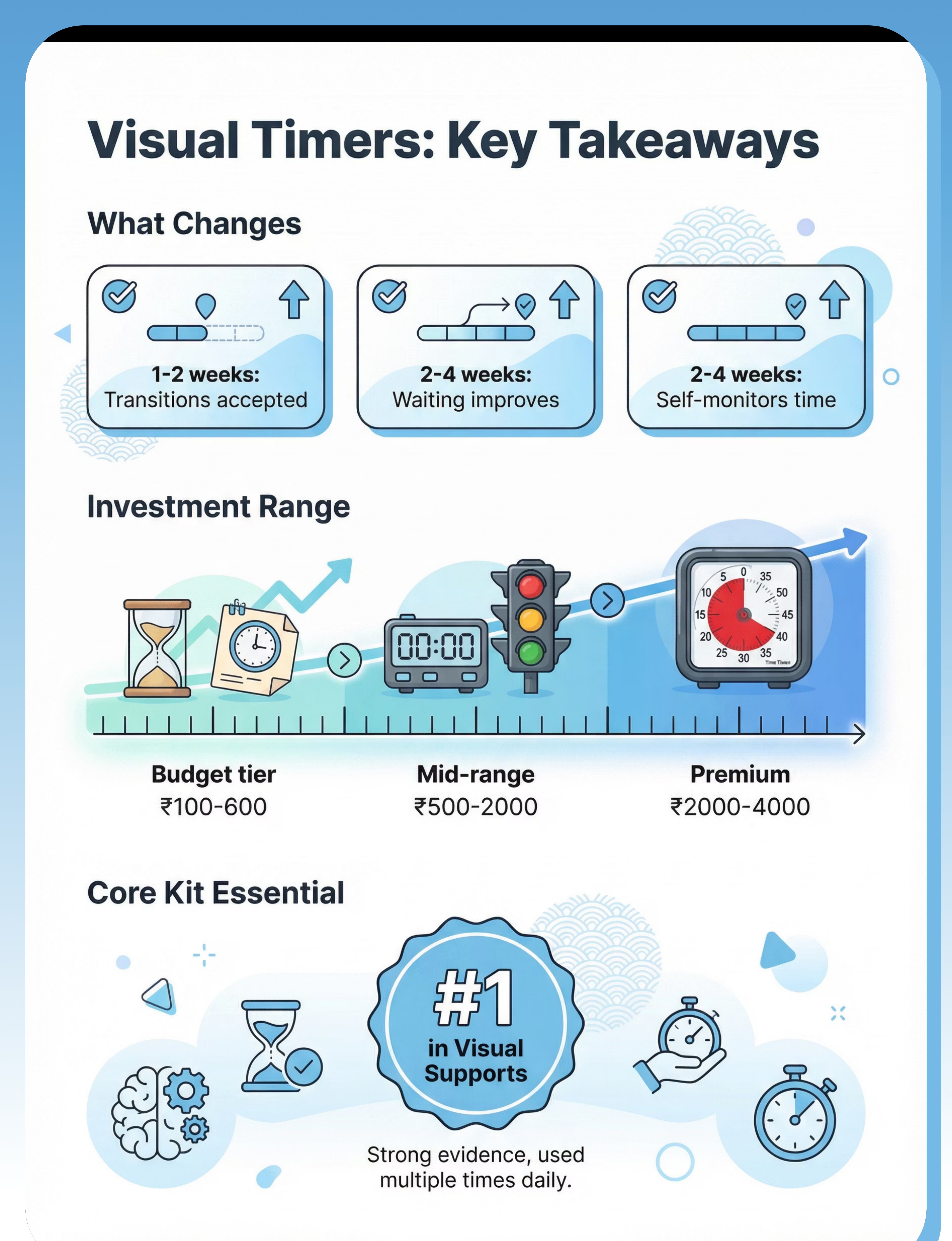
₹100–4,000
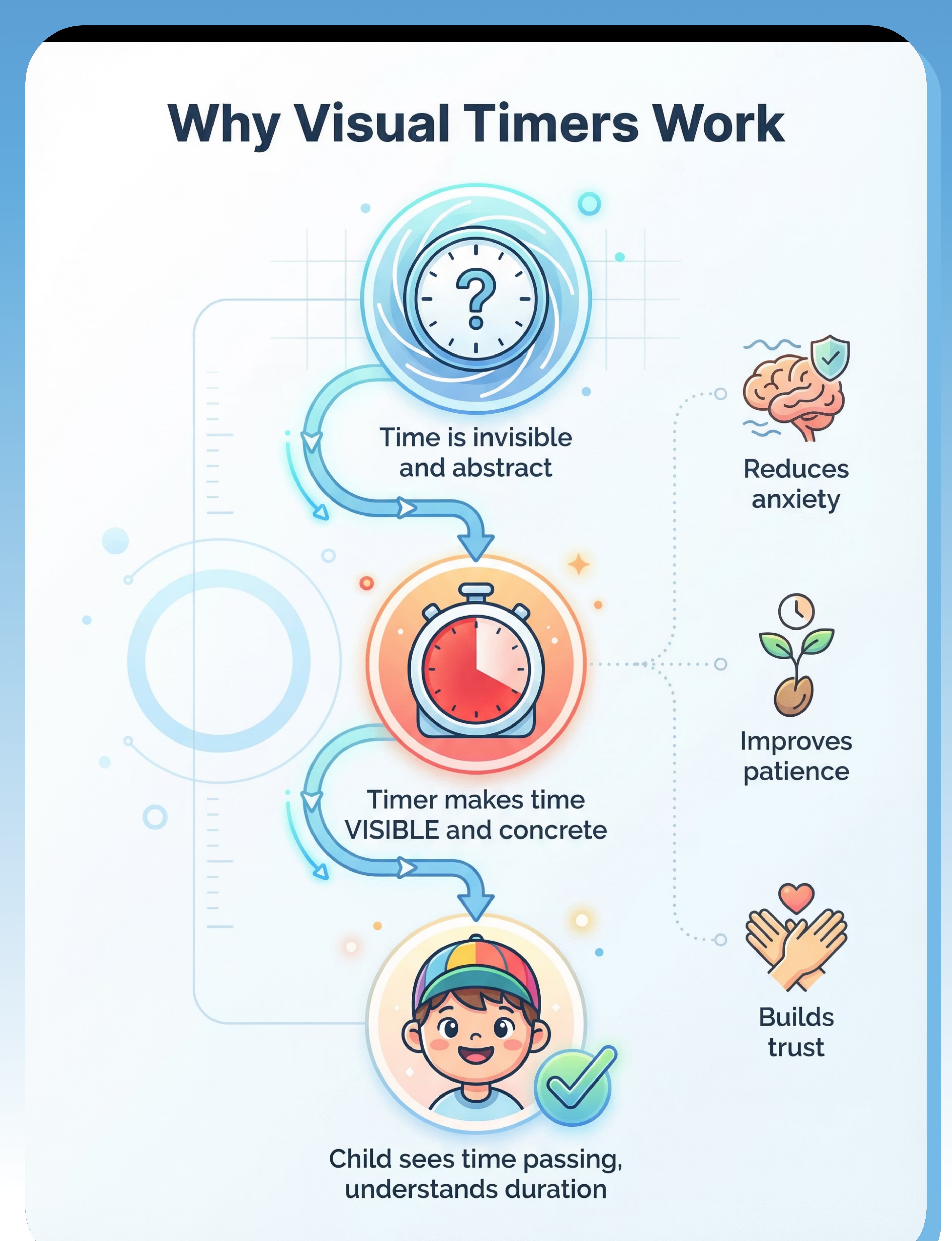
Visual timers transform the invisible concept of time into something children can see, understand, and trust. When time becomes concrete and predictable, transitions become smoother, waiting becomes manageable, and independence grows naturally.

Who This Helps
Visual timers make the abstract concept of time visible and concrete, helping children understand duration, manage transitions, and develop patience through clear visual feedback.
Time Concepts
Transitions
Patience
Task Duration
Waiting Skills
Independence
Ages 2-9 Years
Perfect for children who struggle with understanding time duration and need concrete visual support to grasp when activities will start, continue, or end.
All Settings
Effective at home during routines, in school during transitions, in therapy sessions for task management, and in community settings for waiting periods.
Best For
Children who constantly ask "when" or "how long," struggle with transitions, have difficulty waiting, or need to see progress through non-preferred tasks.

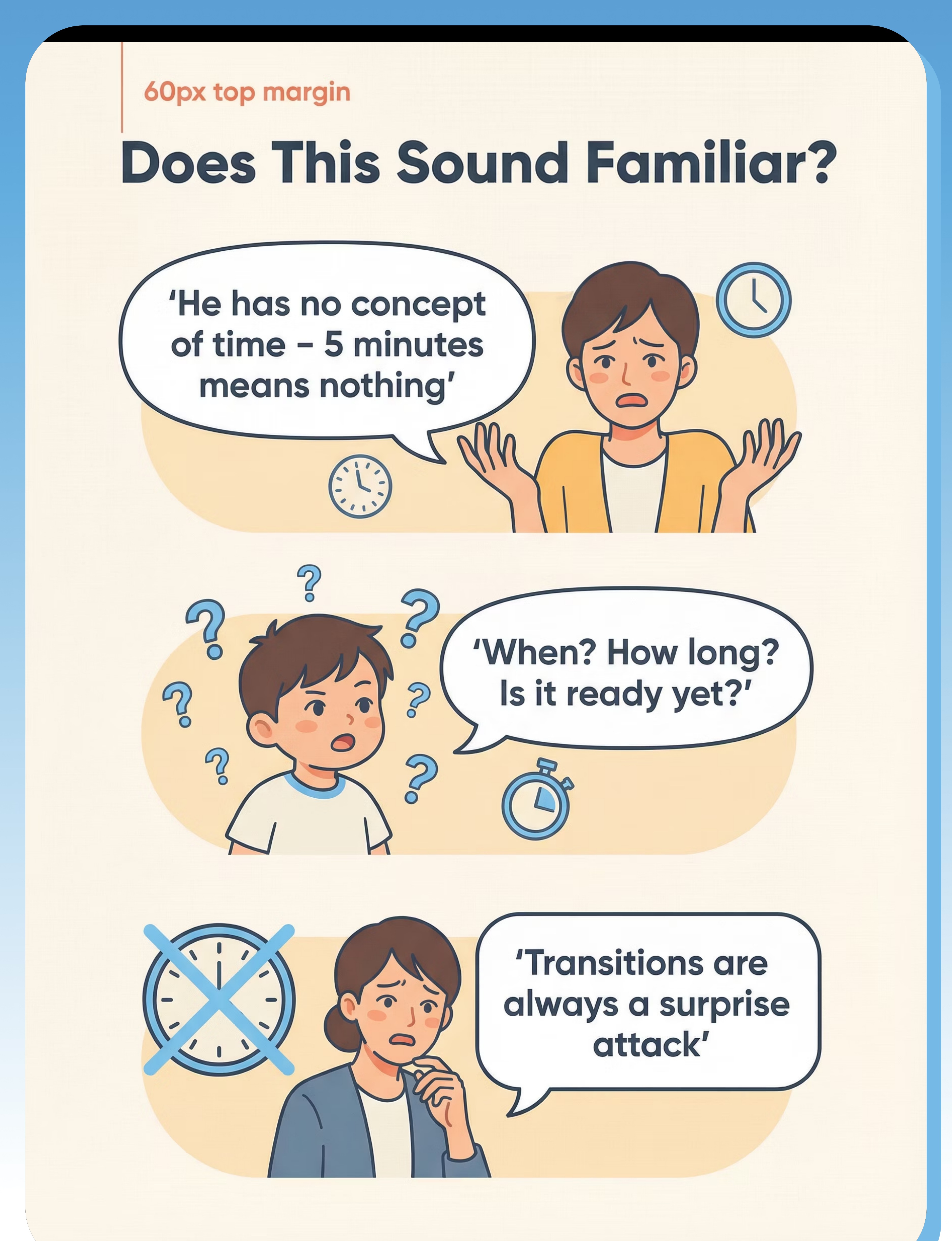
Does This Sound Familiar?
"He has no concept of time - '5 minutes' means nothing to him. I could say 5 minutes or 5 hours and it would be the same."
"She can't wait for anything. Even two minutes feels impossible. Every waiting moment becomes a crisis."
"Transitions are always a surprise attack to him, no matter how many times I warn him it's coming."
"I say '2 more minutes' but it doesn't help at all. He doesn't understand what that means."
"'When?' is his most-asked question, repeated dozens of times every single day."
"She doesn't understand 'soon' or 'later' - these words are completely meaningless to her."
You're not alone. These are common challenges for children with autism and developmental differences. Time is abstract and invisible - two concepts that are incredibly difficult for many children to grasp.

A Day Without the Right Support
Morning Transitions
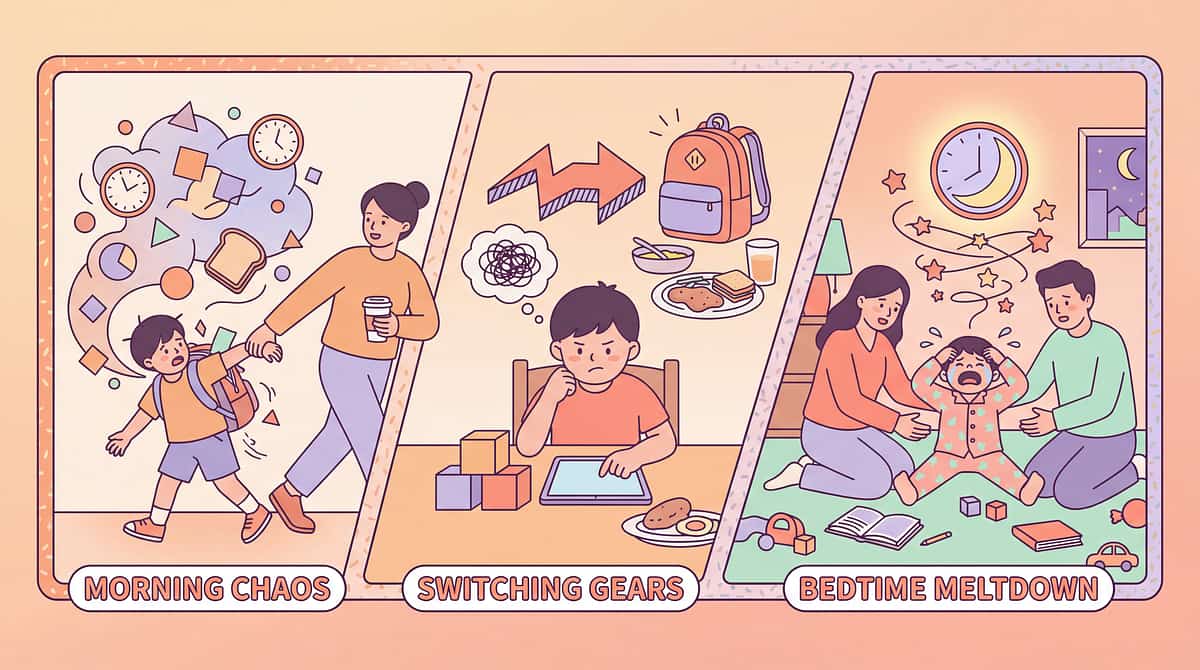
Getting ready feels endless. Every step takes too long. No understanding of when we need to leave. Constant rushing and stress.
Activity Transitions
Moving between activities becomes a battle. No warning system helps because time itself is invisible. Every change feels sudden and wrong.
Therapy & School
Can't pace through tasks. Either rushes through everything or takes forever. No concept of how much time remains for activities.
Ending Preferred Activities
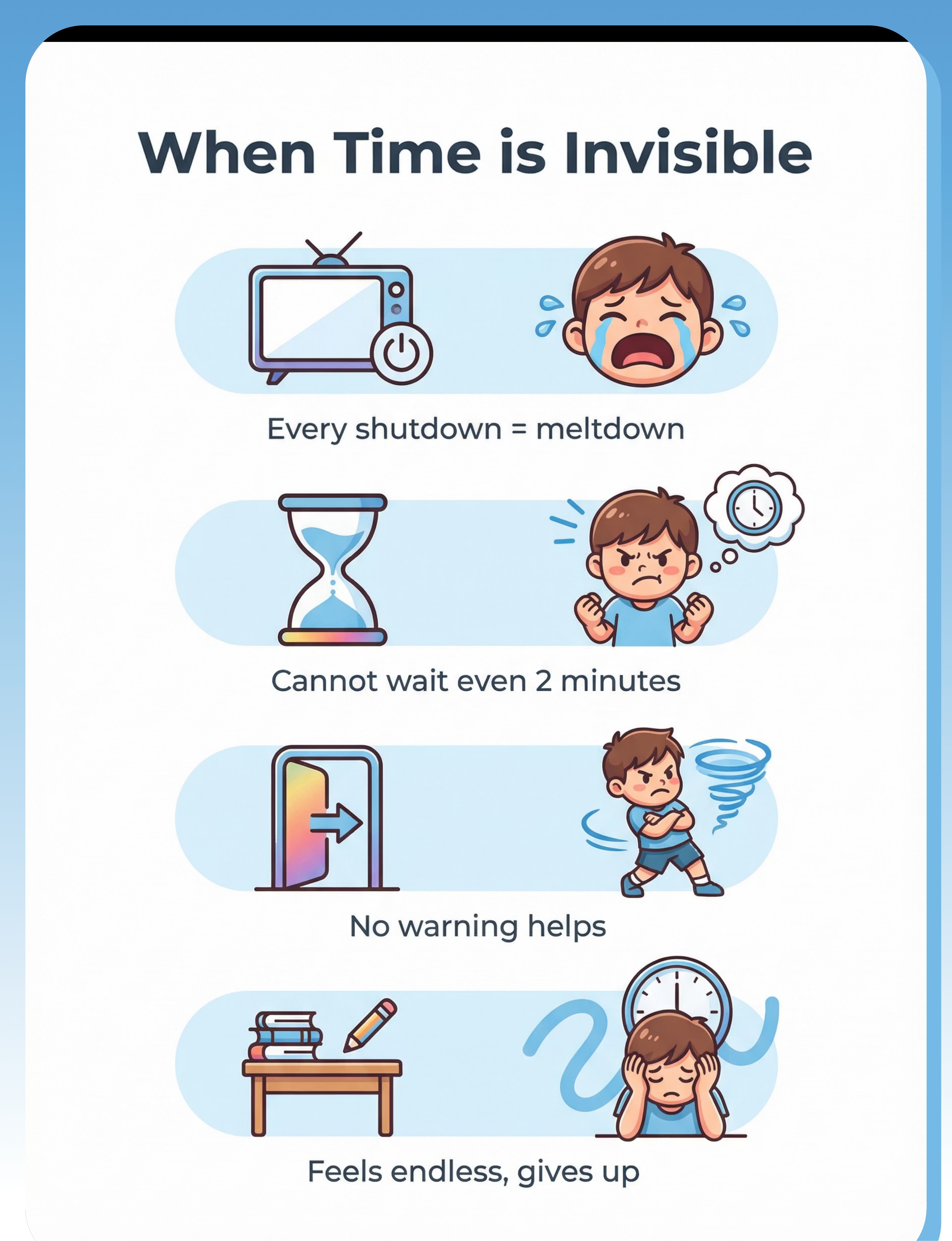
Stopping screen time or play triggers complete meltdown every single time. The end always feels like a betrayal because it can't be seen coming.
Bedtime
Waiting for stories, waiting to fall asleep - all waiting is torture when you can't see time passing or understand duration.

The Science Behind It
Visual timers work by making the invisible concept of time concrete and visible. Here's how they transform time understanding:
Visual Representation
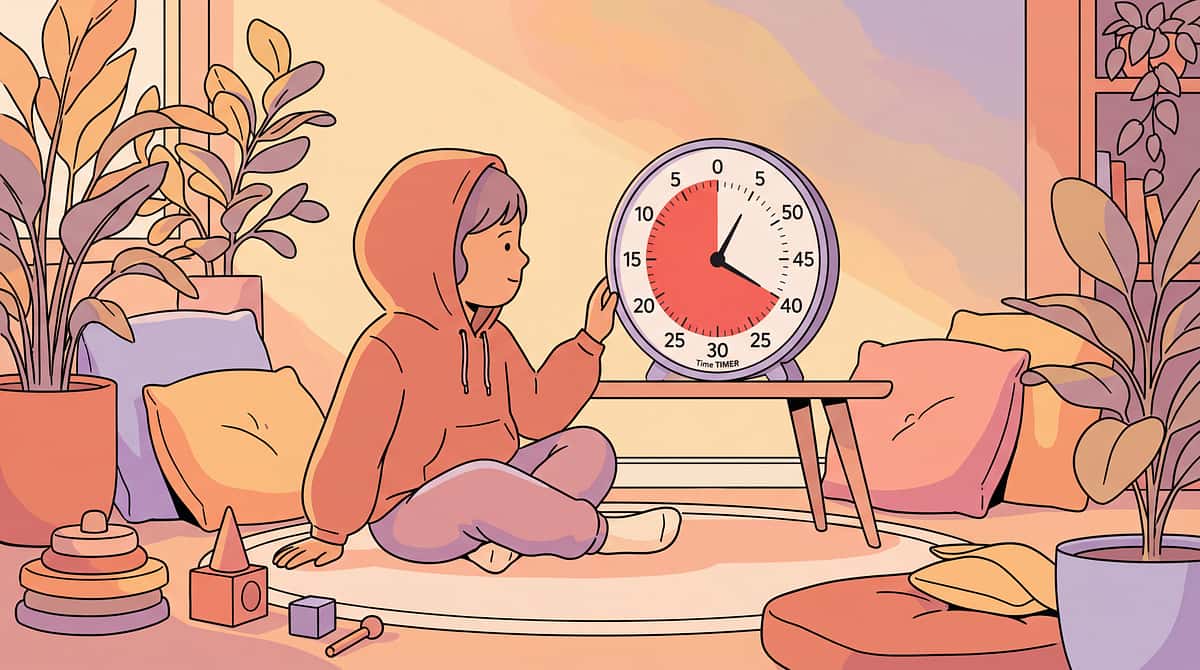
Time becomes a physical object - a shrinking red disk, flowing sand, or changing colors that can be seen and understood.
Child Sees Progress
Watching time pass or time remaining reduces anxiety and uncertainty. The abstract becomes concrete through visual feedback.
Reduced Anxiety
Knowing exactly when transitions will happen eliminates surprise. Predictability creates safety and emotional regulation.
Understanding Duration
Over time, children internalize what different durations feel like, building genuine time concept understanding.
Improved Cooperation
Children can wait, persist through tasks, and accept transitions because they can see and trust when changes will occur.
Time Concepts
Transitions
Patience
Task Duration
Waiting Skills
Independence

How to Use It Right
The effectiveness of visual timers depends entirely on how consistently and positively they're used. Follow these evidence-based best practices to maximize success:
Honor the Timer Always
When time is up, the transition happens - every single time. This is the foundation of timer trust. Never extend time after the timer ends or the tool becomes meaningless.
Provide Clear Warnings
Give a friendly warning before the timer ends: "Timer almost done!" or "One more minute!" This helps children prepare emotionally for the transition.
Balance Positive and Negative
Use timers for both non-preferred activities ("Almost done with homework!") and preferred activities ("Look how much time you have left to enjoy!"). This creates positive associations.
Start With Shorter Durations
Begin with very short, achievable time periods and gradually increase. Success builds trust and capability over time.
Ensure Visibility
Place the timer where your child can see it independently and check it whenever they want. Accessibility builds autonomy.
Build Trust Through Consistency
Use the timer consistently for the same types of activities. Predictable patterns help children understand and trust the system.
Recommended Duration: Use as needed for timed activities throughout the day. Most children benefit from 5-15 uses daily during key transition points and waiting periods.

Expert Perspective
"Time is invisible and abstract - two things that are incredibly difficult for children with autism. Visual timers make time concrete and predictable. They're essential in every autism classroom and home."— Special Education Director, Autism Program
SpEd + OT Recommended
Co-recommended by special education teachers and occupational therapists as a foundational support tool.
Strong Evidence Base
Extensive research supports visual timers as highly effective for time concept development and transition support.
Rank #1 in Category
Highest ranked tool in Visual Supports & Schedules category, reflecting exceptional effectiveness and versatility.

Choose Your Option (7 Variants)
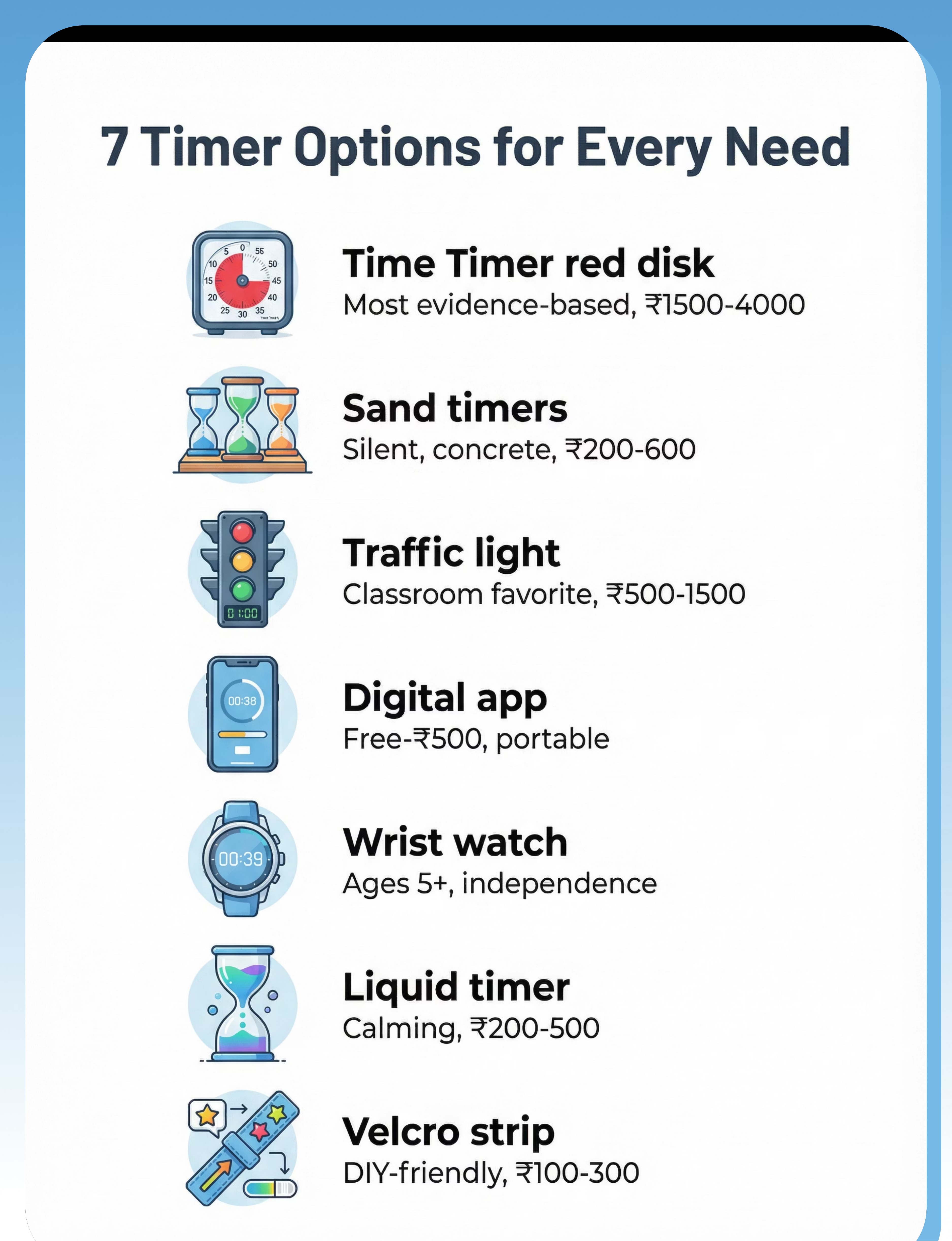
Visual timers come in many forms, each with unique benefits. Choose based on your child's age, sensory preferences, portability needs, and budget. All variants work on the same core principle: making time visible.
Time Timer (Red Disk)
Best for abstract time concept, most evidence-based.
Ages: 2-9 years | Settings: Home, School, Clinic
Portability: Medium | Price: ₹1,500–4,000
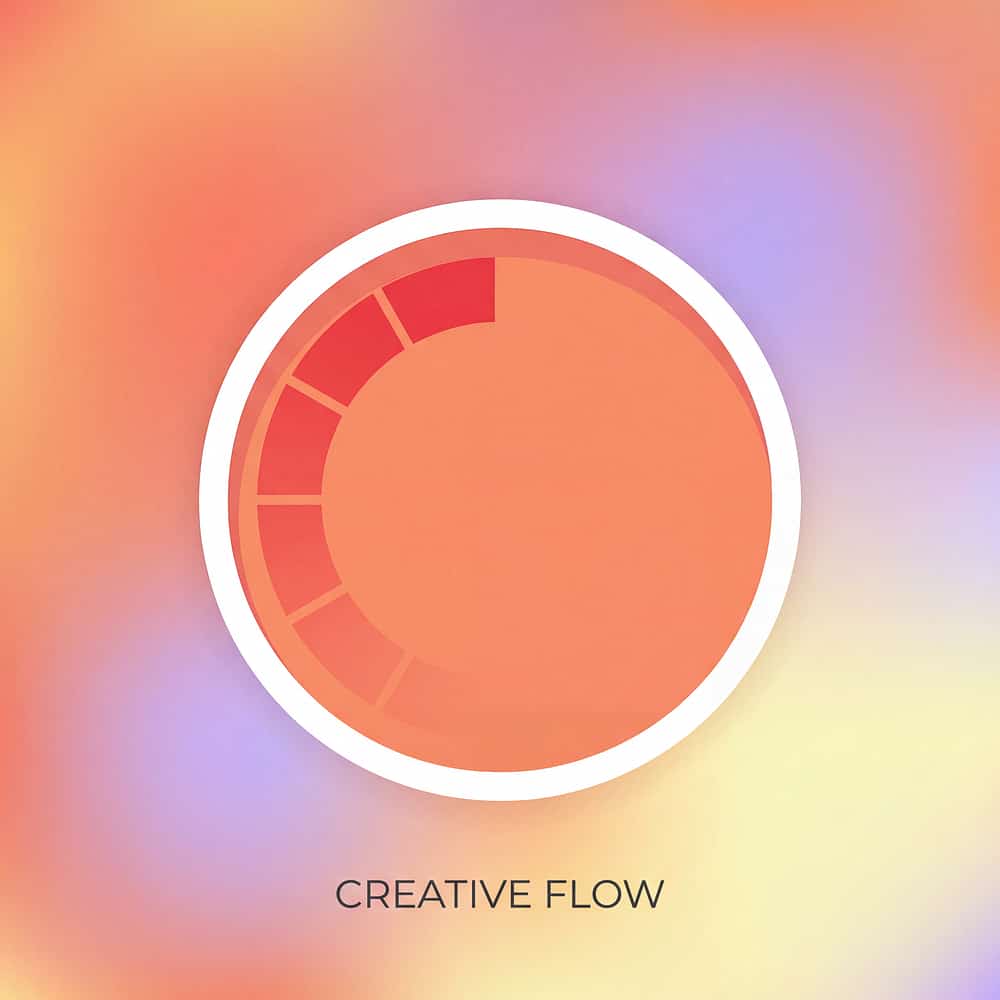
Disappearing red disk shows time remaining. The gold standard in visual timers with decades of evidence.
Sand Timer Set
Best for concrete visual, silent, multiple durations.
Ages: 2-9 years | Settings: Home, School, Clinic
Portability: Medium | Price: ₹200–600
Set of 3-5 timers (1, 3, 5, 10, 15 min). Sand flowing shows time passing. Excellent budget option.
Traffic Light Timer
Best for transitions, warning system, classroom.
Ages: 3-9 years | Settings: Home, School, Clinic
Portability: Medium | Price: ₹500–1,500
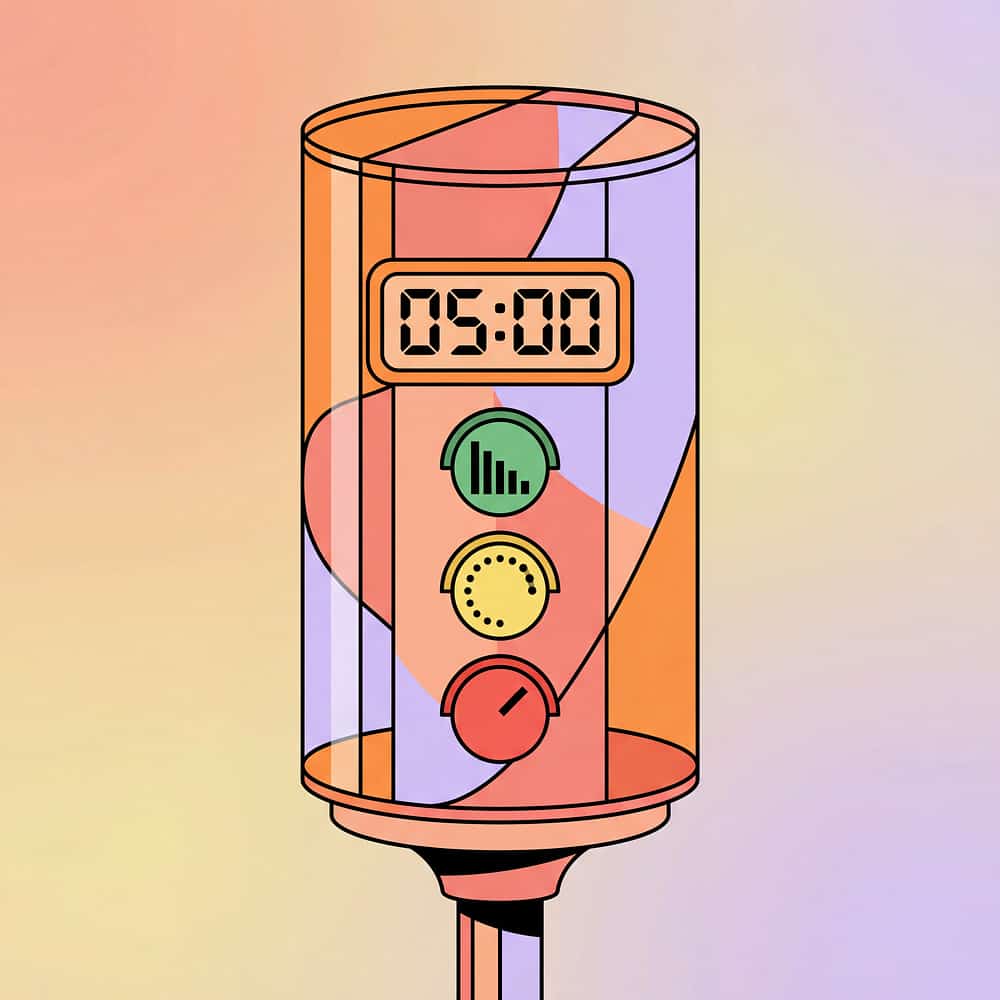
Green-yellow-red countdown. Intuitive color system that children understand immediately.
Digital Visual Timer App
Best for portability, customization, multiple timer types.
Ages: 3-9 years | Settings: All
Portability: Very High | Price: ₹0–500
Phone/tablet app with digital countdown and visual bar. Always available and highly customizable.
Wearable Timer Watch
Best for independence, older children, discreet.
Ages: 5-9 years | Settings: All
Portability: Very High | Price: ₹500–2,000
Personal countdown on wrist. Promotes independence and works everywhere.
Liquid/Bubble Motion Timer
Best for calm-down timing, visual stimulation.
Ages: 2-9 years | Settings: Home, Clinic
Portability: Low | Price: ₹200–500
Visual calming plus timing. Colored liquid provides soothing sensory input while showing time passage.
Countdown Visual Strip
Best for very concrete, young children, DIY-friendly.
Ages: 2-6 years | Settings: Home, Clinic
Portability: High | Price: ₹100–300
Removable velcro numbers/icons. Most concrete option - child physically removes items as time passes.
How to Choose
By Goal
- Maximum evidence: Time Timer red disk
- Most concrete: Sand timer or countdown strip
- Calming focus: Liquid motion timer
- Intuitive: Traffic light timer
By Setting
- Home/primary: Time Timer or sand set
- Portable/travel: App or wearable watch
- Classroom: Traffic light timer
- All settings: App or small sand timer
By Budget
- Free: Visual timer app
- Budget-friendly: Sand timer set
- Mid-range: Traffic light or wearable
- Premium: Time Timer original
Specifications & Timer Types
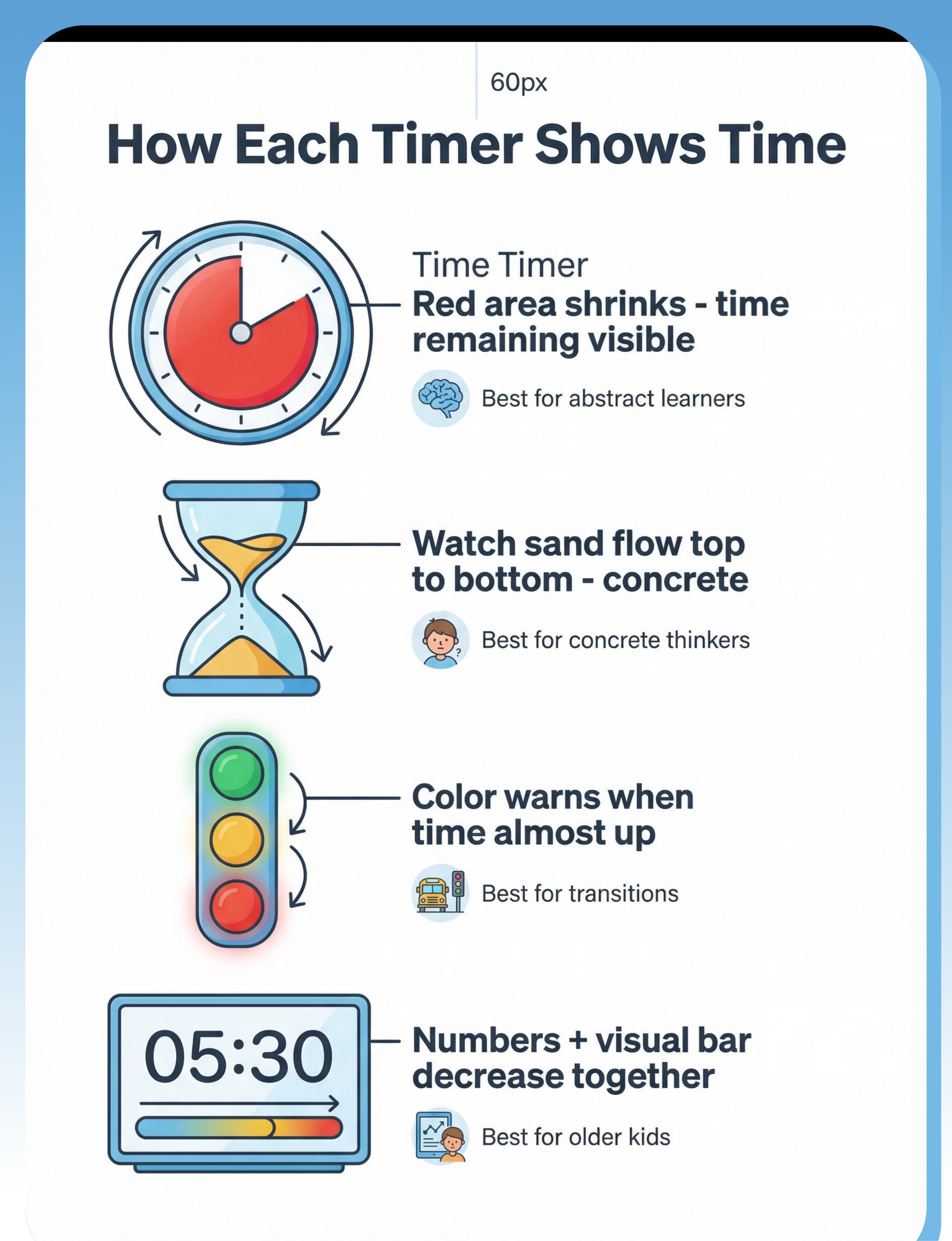
Timer Types Explained

Red Disk (Time Timer)
Red colored area gradually disappears as time passes, showing remaining time spatially. Most widely researched design.

There was an error generating this image
Sand Timer
Sand flows from top chamber to bottom chamber. Simple, silent, and highly visual. Works without batteries.

There was an error generating this image
Traffic Light
Green → Yellow → Red progression. Uses universal color meaning children already understand intuitively.

There was an error generating this image
Digital Display
Numbers count down alongside visual bar that shrinks. Combines numerical and spatial representations of time.

There was an error generating this image
Liquid Motion
Colored liquid drips or flows downward. Provides both timing and calming sensory input simultaneously.
Materials & Features
Common Materials:
- Durable plastic housing
- Sand or colored liquid
- Digital display screens
- Mechanical movement systems
Key Features to Look For:
- Visual (not just auditory): Must show time passing, not just beep
- Silent option: Important for classrooms and sensory-sensitive children
- Appropriate duration range: Should include 1-15 minute options minimum
- Durable construction: Must withstand frequent handling by children
- Child-accessible: Easy for child to see and eventually operate independently
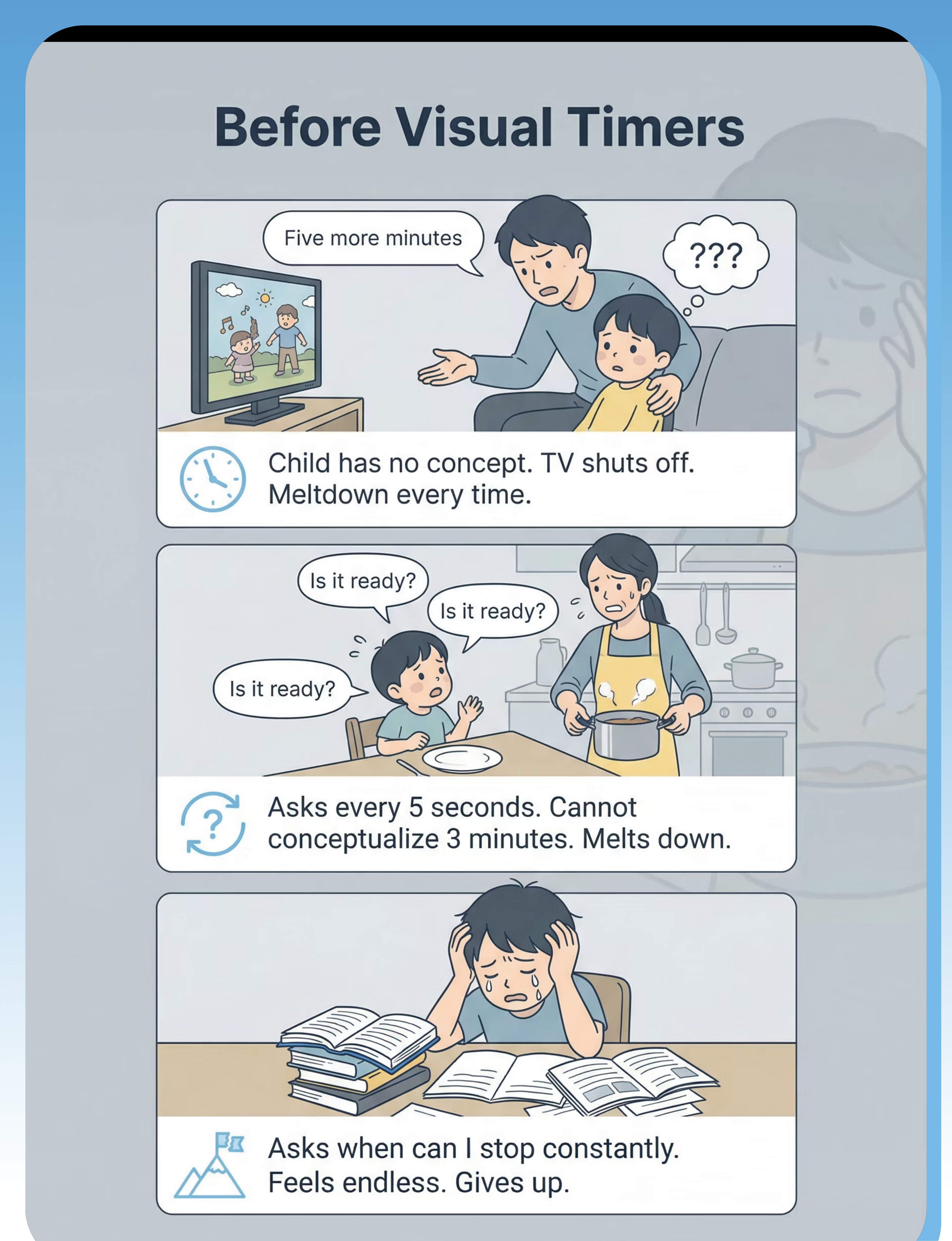
The Struggle (Before)
Without visual time support, daily routines become unpredictable crises. Time remains invisible and abstract, making every transition a surprise and every wait period feel endless.

Screen Time Ending
Situation: Parent says '5 more minutes.' Child has no concept of what that means. Time passes invisibly. Parent turns off TV. Complete meltdown erupts.
Experience: Every single time, the same pattern. No warning system works because time itself cannot be understood.
Emotion:Dread and predictable failure

Waiting
Situation: Child needs to wait 3 minutes for snack to cool down. Asks 'Is it ready?' every 5 seconds. Cannot conceptualize the duration at all.
Experience: Waiting feels infinite. No end in sight. Patience impossible when you can't see progress. Melts down before time is up.
Emotion:Frustration and overwhelming impatience

There was an error generating this image
Non-Preferred Task Duration
Situation: Child at homework. Asks 'When can I stop?' constantly. Feels like task will never end. Gives up quickly.
Experience: Can't understand 'just 10 minutes.' Has no concept of progress. Cannot persist when the endpoint is invisible and unknowable.
Emotion: Overwhelm and complete avoidance

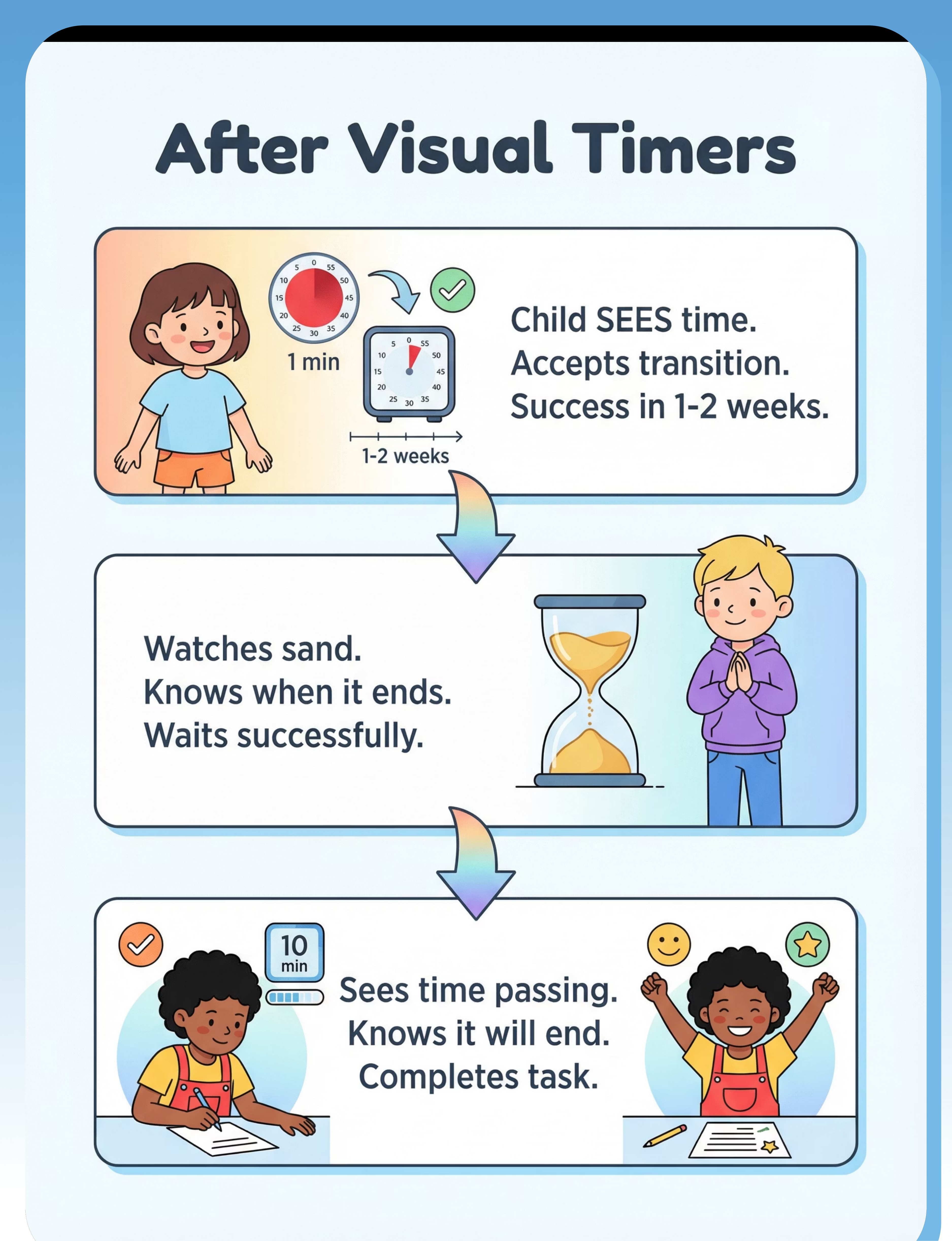
The Breakthrough (After)
With visual timer support, time becomes predictable and manageable. Children can see progress, understand duration, and trust that changes will happen exactly when shown. Success builds quickly.
Screen Time Ending
Situation: Visual timer set for 5 minutes. Child can SEE the red disk shrinking steadily. Receives 1-minute warning when almost finished.
Experience: Timer ends. Child knows it's time. Transition happens smoothly. Accepted calmly because it was visible and predictable.
Emotion:Acceptance and predictability
1-2 weeks
Waiting
Situation: Sand timer set for 3 minutes. Child watches sand flow steadily downward. Can SEE progress happening in real time.
Experience: Knows exactly when it will end. Can track progress. Waiting becomes manageable when time is visible. Waits successfully.
Emotion:Patience and capability
1-2 weeks
Non-Preferred Task Duration
Situation: Timer shows 10 minutes for homework. Child can SEE time passing as red disk shrinks. Knows exactly when task will end.
Experience: Understands there is a finish line. Can see progress toward goal. Persists through difficulty. Completes full task successfully.
Emotion:Perseverance and success
2-4 weeks

What to Expect (Realistic Timelines)
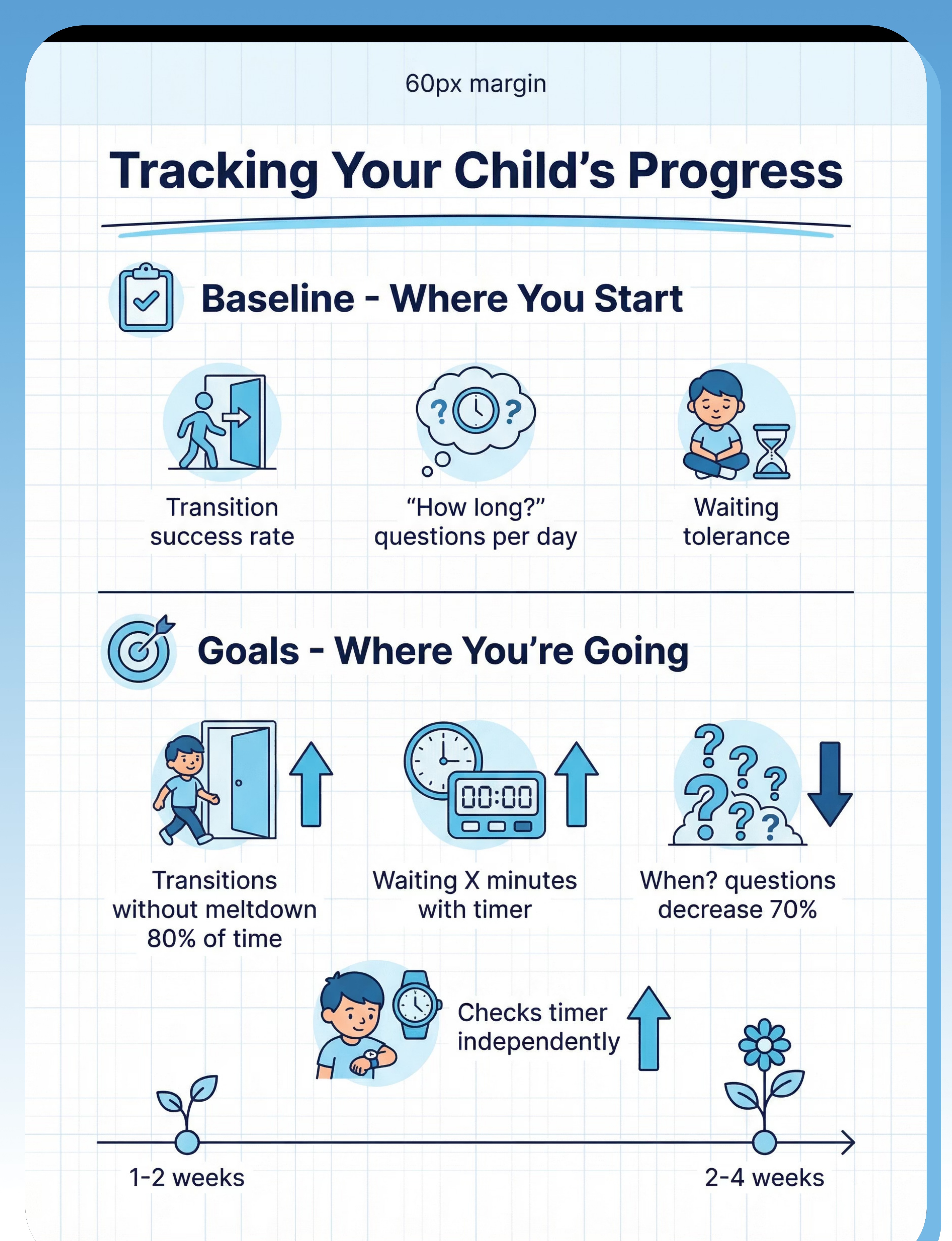
Visual timer implementation creates rapid, measurable improvements in time understanding and transition success. Most families see significant changes within the first month of consistent use.
Child understands time visually
Can see and comprehend time duration spatially through visual representation
Immediate
Transitions become predictable and accepted
Smooth transitions happen when timer ends, with minimal resistance or meltdowns
1-2 weeks
Waiting tolerance improves significantly
Can wait for appropriate durations when time remaining is visible and concrete
2-4 weeks
Child self-monitors time independently
Checks timer on own initiative, references it for planning and self-regulation
2-4 weeks
Reduced 'when?' and 'how long?' questions
Dramatic decrease in repetitive time-related questioning throughout the day
1-2 weeks
Task persistence improves with visible endpoint
Completes non-preferred tasks when can see clear finish line approaching
2-4 weeks

Is This Right for My Child? (2-Minute Check)
Answer these four questions honestly. If you answer 'yes' to three or more, visual timers are likely an excellent fit for your child's needs.
Does your child struggle with the concept of time duration?
Words like '5 minutes' or 'soon' or 'later' seem completely meaningless. Child cannot conceptualize or estimate duration accurately.
If yes, this indicates: Visual timer essential for building time concept understanding
Are transitions especially difficult when time-based?
Ending activities, starting new tasks, or any change that involves time warnings triggers resistance or meltdowns consistently.
If yes, this indicates: Needs visible time countdown to prepare for changes
Does your child constantly ask 'When?' or 'How long?'
Repetitive time-related questions dominate daily interactions. Child seems unable to hold or understand verbal time information.
If yes, this indicates: Visual timer will reduce questioning by providing visible answers
Does your child have difficulty waiting?
Even very short wait periods (2-5 minutes) trigger significant distress, impatience, or complete inability to remain calm.
If yes, this indicates: Timer will support patience by making wait duration visible
3+ 'yes' answers = strong fit. Visual timers address core time concept challenges and will likely provide significant support for your child.

Usage Guide
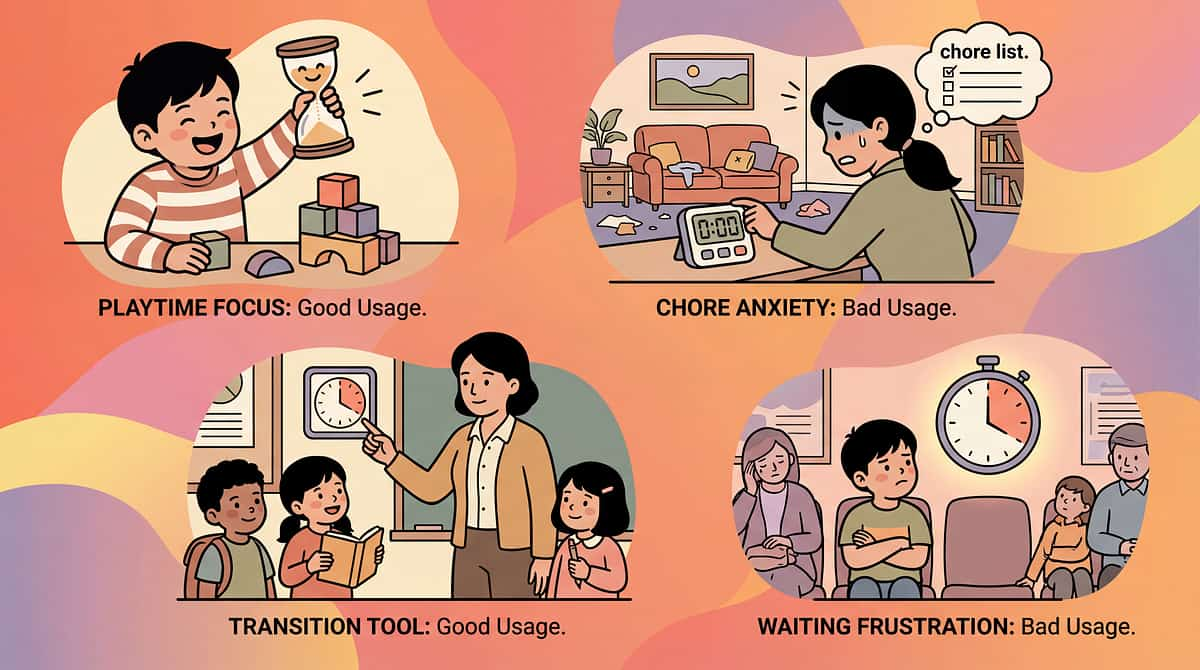
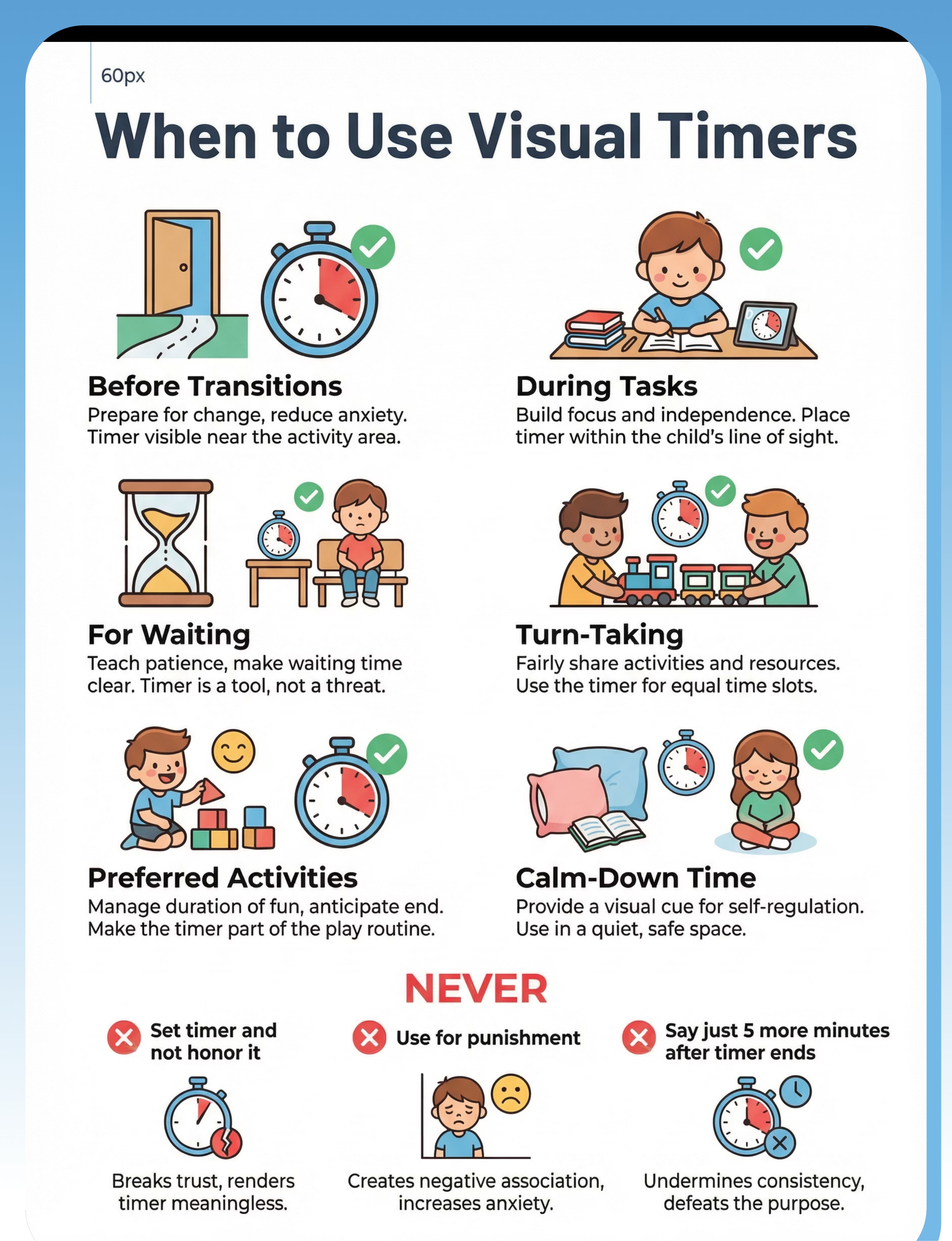
When to Use ✓ | When NOT to Use ✗ | |
Before transitions to show time until change | Don't set timer and then not honor it when it ends | |
During non-preferred activities to show time until done | Don't use for punitive purposes or threats | |
During preferred activities to show time left to enjoy | Don't overwhelm with timers for everything | |
For waiting periods to show time until ready | Don't use if timer causes severe anxiety (adapt approach first) | |
For turn-taking to show time for each person | ||
For calm-down periods to show time in calm space |
Supervision by Age
Age Range | Supervision Level | Notes | |
Under 3 years | Adult manages timer fully | Child observes and begins learning association between visual change and time | |
3-6 years | Adult sets timer, child monitors | Child independently checks timer and begins predicting when time will end | |
6+ years | Child can set and manage with support | Increasing independence in timer operation and self-regulation using timer |
Duration & Settings
Recommended duration: Use as needed for timed activities throughout the day. Most children benefit from 5-15 timer uses daily.
Best settings: Home routines, school transitions, therapy sessions, community waiting periods - any context where time duration matters.

Safety First
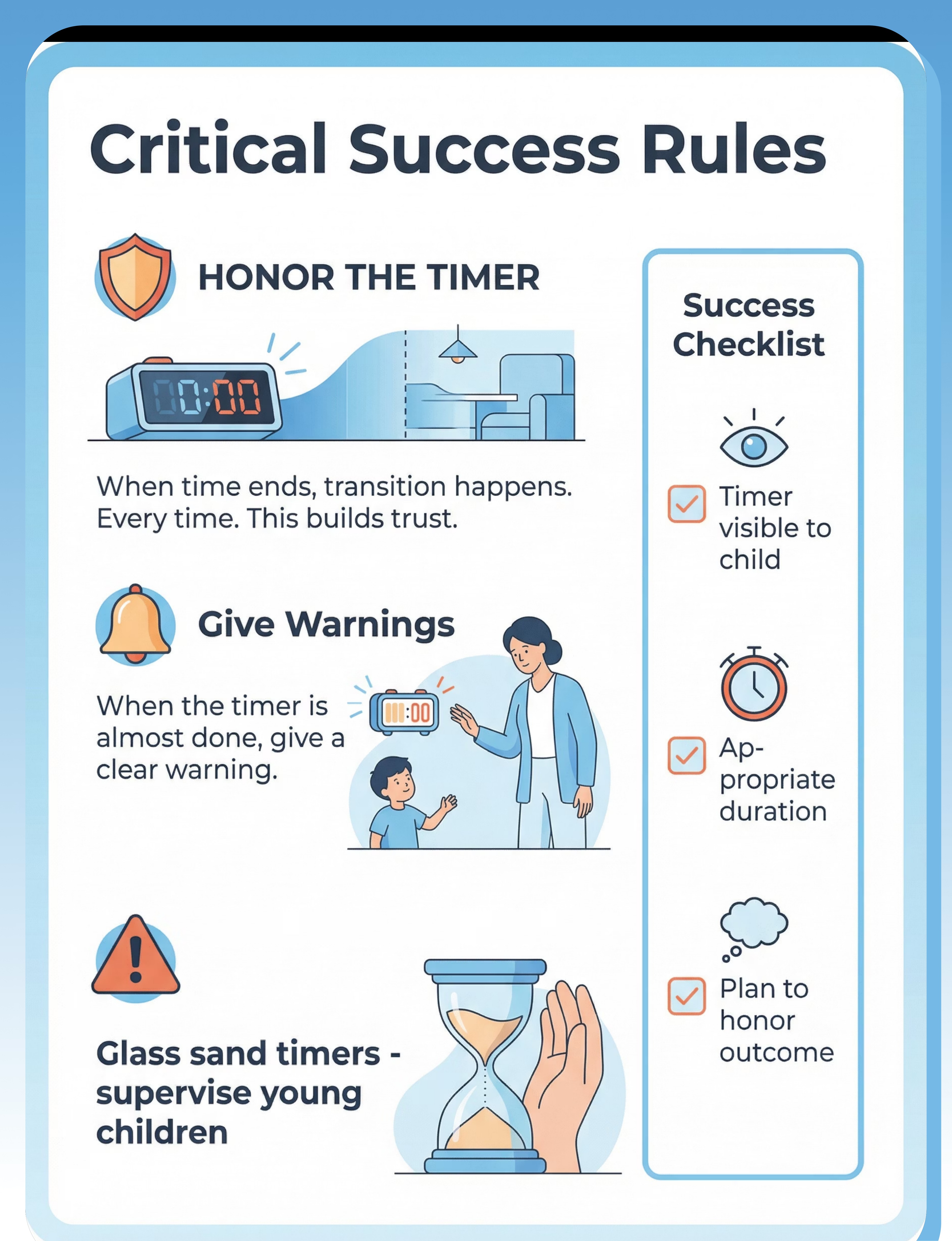
Critical Safety Rules
- HONOR THE TIMER: When time ends, the transition happens. This is absolutely non-negotiable for timer effectiveness.
- Never extend time after timer ends: Saying 'just 5 more minutes' after timer finishes completely breaks trust in the system.
- Sand timer glass can break: Supervise young children closely. Choose plastic-encased options when possible.
- Don't use to rush child anxiously: Timer should reduce anxiety, not create it through pressure.
Important Warnings
- Some children initially get anxious watching time run out - adapt presentation or start with longer durations
- Timer should never be used as a weapon ('You only have 2 minutes!')
- Don't over-time everything - use strategically for key moments only
- Ensure auditory signal (if present) isn't startling or overwhelming
Safety Checklist
Before Use
- ✓ Duration appropriate for task
- ✓ Timer visible to child
- ✓ Plan to honor when time ends
- ✓ Child understands timer meaning
During Use
- ✓ Child can see countdown
- ✓ Give warning before timer ends
- ✓ Timer respected by all adults
- ✓ Positive framing maintained
Signs of Success
- ✓ Child references timer independently
- ✓ Transitions accepted when timer ends
- ✓ Less 'when?' questioning
- ✓ Child can wait with timer
Contraindicated Uses
- Not honoring timer outcomes
- Punitive or threatening use
- Startling alarm signals without warning

Common Questions (Honest Answers)
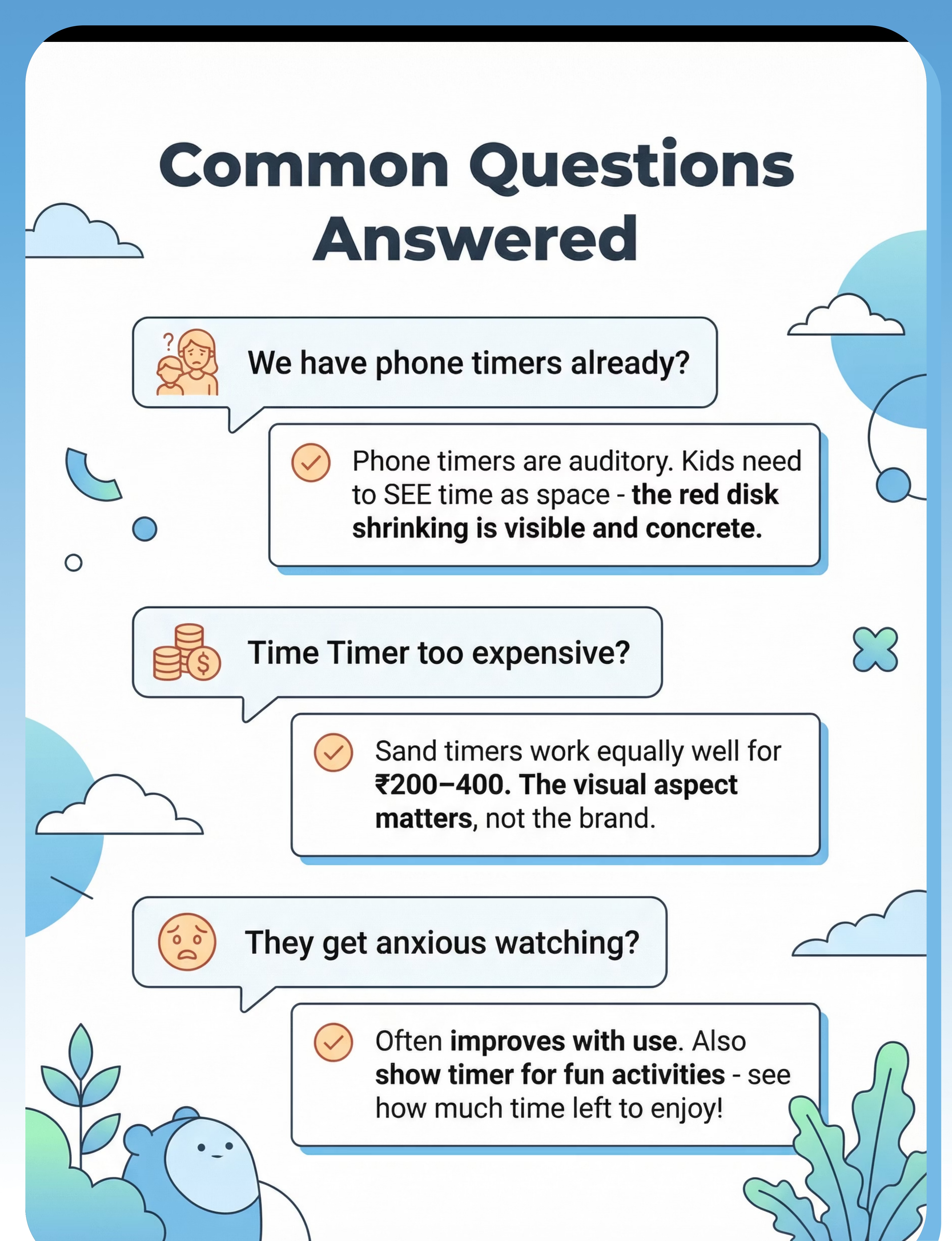
Q: We have phone timers already. Why do we need a visual timer?
A: Phone timers are primarily auditory (beeps) or numerical (counting numbers). Children who struggle with time concepts can't SEE time passing with standard timers. Visual timers show the AMOUNT of time remaining spatially - the red disk physically shrinking or sand visibly flowing. This spatial representation is concrete and understandable even without number comprehension.
Try this: Use a visual timer app that shows color or area changes, not just numbers.
Q: The Time Timer brand is too expensive for us.
A: The Time Timer brand is excellent but not required. Sand timers are very affordable (₹200-400 for a complete set) and equally effective for most children. Even DIY countdown strips work well. The visual aspect is what matters - not the specific brand or mechanism.
Try this: Start with a sand timer set - it's a fraction of the cost and highly effective.
Q: My child gets anxious watching the time run out.
A: Some children do experience anxiety initially, especially if they have negative associations with time pressure. This often improves significantly with consistent use and building trust. Also use the timer for preferred activities ('Look how much time you HAVE left to enjoy!'), not just for ending things. Frame the timer positively as a helper, not a punisher.
Try this: Start with longer, comfortable durations and pair timer use with verbal reassurance.
Q: They just ignore the timer completely anyway.
A: This happens when the timer isn't consistently honored. The absolute key is this: when the timer goes off, the transition happens - every single time, no exceptions. If time ends and nothing changes, the timer becomes meaningless background noise. When children learn that timer = actual change, they begin respecting and utilizing the tool.
Try this: Be absolutely consistent with following through when timer ends, for at least 2 weeks.

Investment Guide
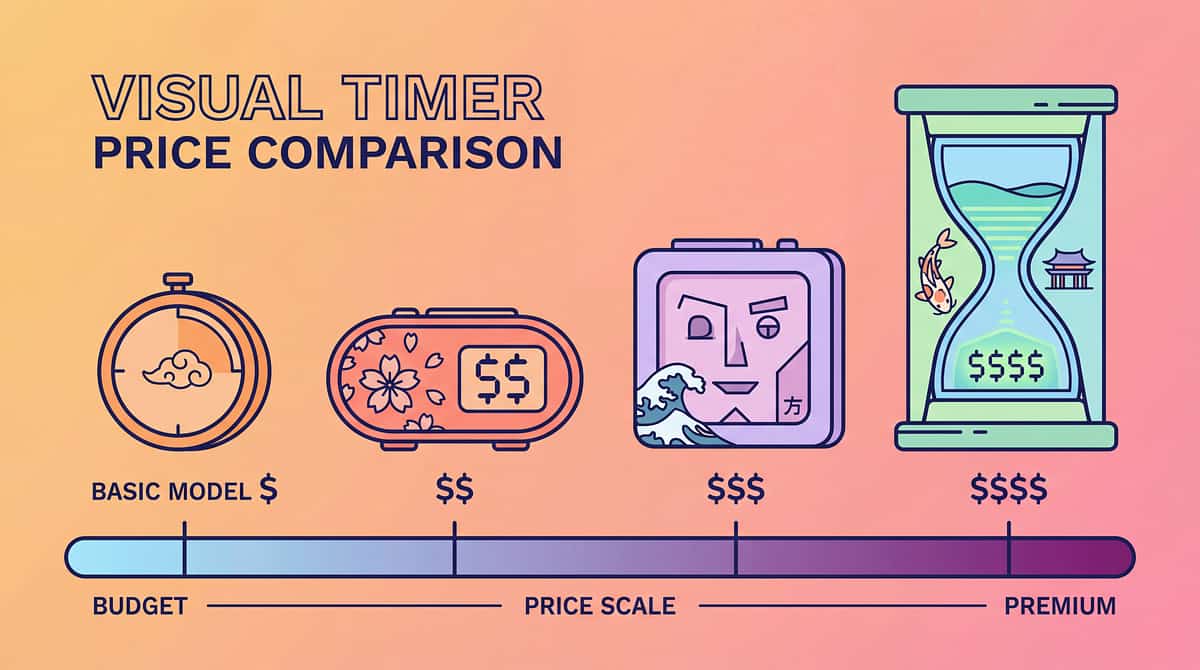
Visual timers range from free apps to premium devices. All work on the same core principle. Choose based on your budget, portability needs, and child's preferences.
Budget-Friendly
Sand Timer Set (3-5 timers)
Cost: ₹200-500
Equally effective as expensive options. Silent operation. Multiple durations included. No batteries needed. Highly durable. Excellent starting point for most children.
Premium Choice
Time Timer Original 12-inch
Cost: ₹2,500-4,000
Most evidence-based design with decades of research. Large, highly visible display. Durable professional quality. Widely used in schools and clinics. Recommended brands: Time Timer, TimeTex.
For a complete overview of options across various price points and features, refer to the table below.
Complete Range Overview
Timer Type | Price Range (INR) | Best For | |
Visual Timer Apps | ₹0-300 | Maximum portability, free trial | |
DIY Countdown Strips | ₹100-300 | Very young children, concrete learning | |
Sand Timer Sets | ₹200-600 | Budget-conscious, silent operation | |
Liquid Motion Timers | ₹200-500 | Calming + timing combination | |
Wearable Timer Watches | ₹500-2,000 | Independence, older children | |
Traffic Light Timers | ₹500-1,500 | Classrooms, intuitive color system | |
Time Timer (8-12 inch) | ₹1,500-4,000 | Evidence-based, professional settings |
Overall investment range: ₹100-4,000 (USD $1-48)
Best starting point: Sand timer set for home use (₹200-400) or free visual timer app for immediate trial.

Where to Buy in India
Availability: Widely available through online retailers, educational supply stores, and app stores.
Recommended Platforms
Amazon.in
Search Term: "visual timer kids"
Typical Price: ₹500-2,000
Amazon.in
Search Term: "sand timer set kids"
Typical Price: ₹200-600
Amazon.in
Search Term: "Time Timer"
Typical Price: ₹2,000-4,000
App Store / Google Play
Search Term: "visual timer app"
Typical Price: ₹0-300
Buying Tips ✓
- Sand timers are an excellent budget option with high effectiveness
- Get multiple durations (1, 3, 5, 10, 15 minutes) for flexibility
- Ensure child can clearly SEE the time passing mechanism
- Silent operation is important for classroom and sensory-sensitive settings
- Consider having both a portable timer and a home-base timer
- Read reviews focusing on durability and visibility
Red Flags ✗
- Timer is only auditory (beeps) without any visual display
- Child cannot see the display easily from normal viewing distance
- Construction is too fragile for regular handling by children
- Sand timer glass is very delicate without protective casing
- Timer requires complex setup that prevents spontaneous use

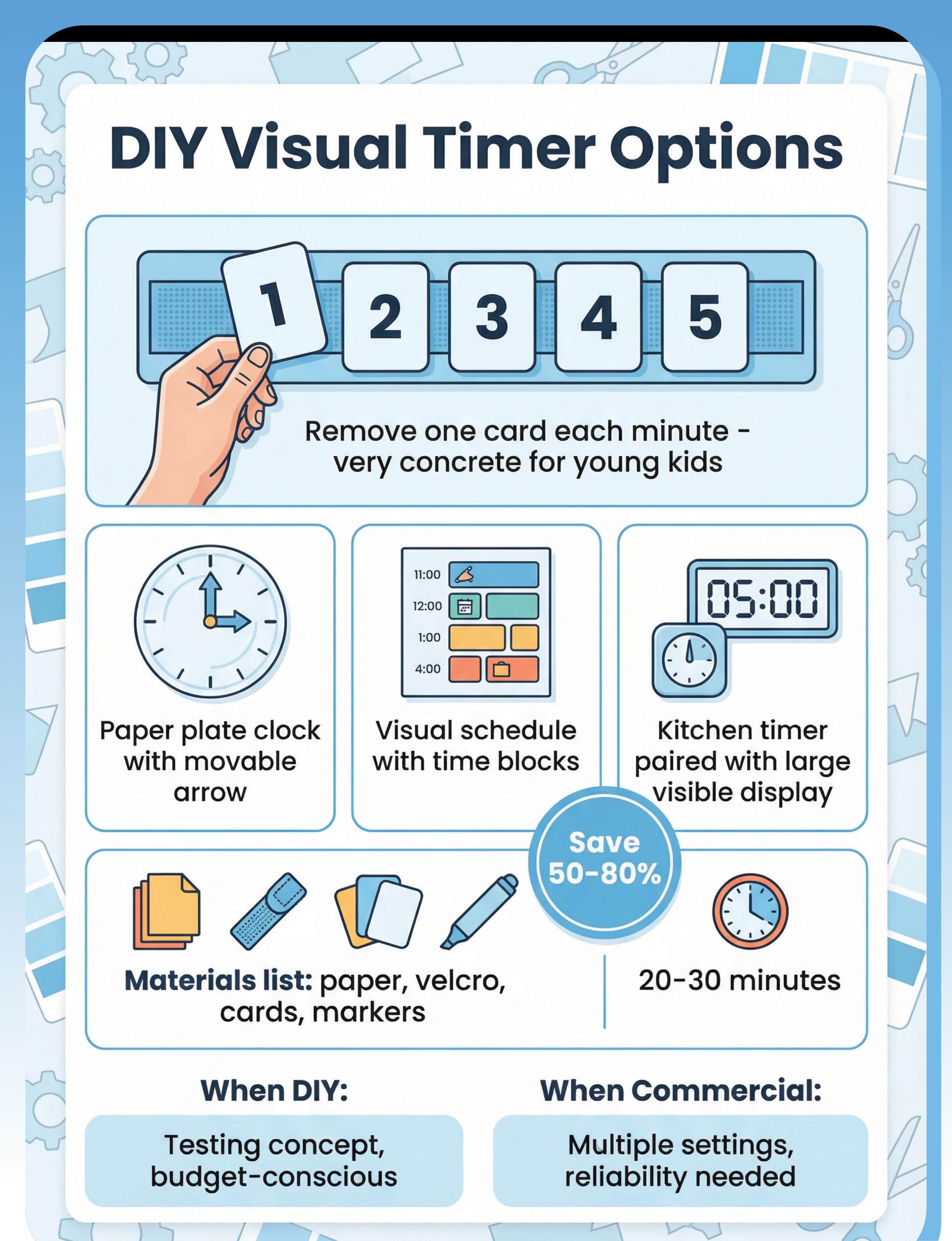
DIY Alternative (Save 50-80%)
DIY Quick Facts
- Feasibility: Medium difficulty
- Cost Savings: 50-80% compared to commercial
- Time Required: 20-30 minutes
Materials Needed
- Paper or cardstock strips
- Velcro dots or strips
- Numbered cards or picture symbols
- Optional: kitchen timer for auditory signal
- Markers for customization
Step-by-Step Instructions
1
Create a vertical strip with 5 velcro spots representing 5 'minutes' or time units.
2
Make removable numbered cards or symbol cards that attach to each velcro spot.
3
Child physically removes one card each minute when kitchen timer beeps.
4
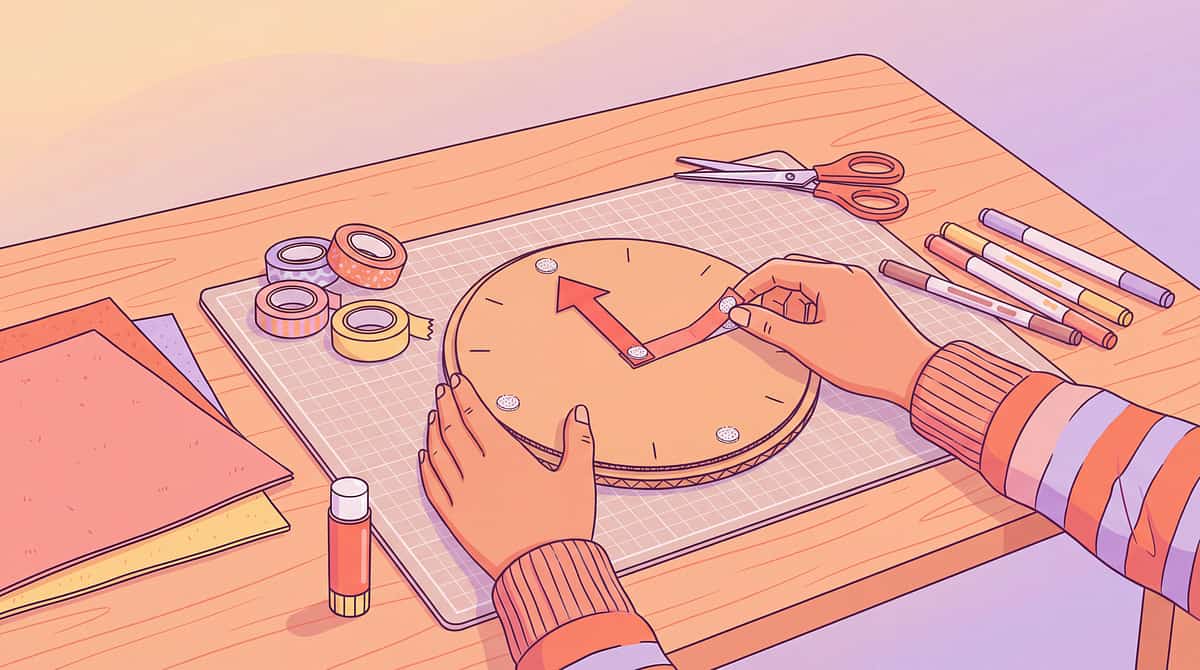
Alternative: Draw clock face on paper plate with movable paper arrow attached at center.
5
Create visual schedule showing time blocks for different activities.
6
Pair any standard kitchen timer with large, visible countdown display board.
For steps 7+, create multiple countdown strips for different durations (3-minute, 5-minute, 10-minute) to increase versatility and usefulness.
DIY vs Commercial Comparison
Factor | When to Choose DIY | When to Buy Commercial | |
Budget | Very budget-conscious; want to test concept before investing | Can afford ₹200-500 for sand timer set or more for other types | |
Customization | Need very concrete physical countdown with tokens child removes | Want automatic, self-operating countdown display | |
Settings | Primarily for home use with parental supervision | Need consistent timing across multiple settings (home, school, therapy) | |
Child's Stage | Very young child (2-4) needs most concrete, hands-on option | Child ready for true visual time display and independent monitoring |
Tradeoffs to Consider
1
DIY pros: Very concrete and hands-on; highly customizable; extremely low cost; can involve child in creation
2
DIY cons: Less elegant appearance; requires manual operation each interval; needs separate auditory signal; less durable than commercial options
3
Commercial pros: Automatic operation; professional appearance; highly durable; widely recognized tool; works independently
4
Commercial cons: Higher initial cost; less customizable; may need multiple types for different settings
Preview of visual timer time concept tool Therapy Material
Below is a visual preview of visual timer time concept tool therapy material. The pages shown help educators, therapists, and caregivers understand the structure and content of the resource before use. Materials should be used under appropriate professional guidance.


Share this resource
Help others discover thisLink copied!

Your Next Step (Start Today)
Taking the first step towards better time management for your child can feel overwhelming, but it doesn't have to be. Visual timers offer a simple, yet powerful tool to bring structure and independence. Don't wait for the perfect moment; the best time to start is now, with whatever resources you have.
1. Choose Your Timer
Revisit our guide on budget-friendly and premium options. Whether it's a free app, a sand timer, or a commercial device, select one that fits your family's needs and budget. The key is to start, not to perfect.
2. Introduce Playfully
Present the timer as a fun, helpful tool, not a disciplinary device. Let your child explore it, set it for short play sessions, or use it for their favorite activity. Positive association is crucial for adoption.
3. Start Small, Build Success
Begin with very short, achievable intervals (e.g., 5-10 minutes) for tasks your child already enjoys. Gradually increase the duration as they become more comfortable and successful. Celebrate every completed interval!
4. Be Consistent
Integrate the visual timer into daily routines. Predictability helps children understand and accept its purpose. Use it regularly for tasks like getting dressed, tidying up, or focused play.
5. Observe & Adjust
Pay attention to how your child responds. Is the timer duration too long? Too short? Are they disengaging? Be flexible and willing to adjust your approach based on their feedback and observations. This is a journey!
Quick Start Scenarios
Morning Routine
"Let's see if we can get dressed and eat breakfast before the red disappears in 15 minutes!" Place the timer where it's easily visible.
Homework Time
"You have 20 minutes to work on your math. When the timer rings, we'll take a 5-minute break." This provides clear boundaries and a reward.
Screen Time Transitions
"You have 5 minutes left of screen time. When the timer is done, it's time to put the tablet away." This gives a visual warning for the transition.
You are now equipped with the knowledge and tools to empower your child with a greater sense of time and independence. Embrace the journey, celebrate the small victories, and watch as your child thrives with their new visual time companion. Your patience and consistency will make all the difference. Go ahead, start today!